How to Generate a Fake Twitter Chat and DMs
Build an X (Twitter) direct message thread in your browser — both sides, verified ticks, seen receipts and all three themes — then download it in HD.
On this page
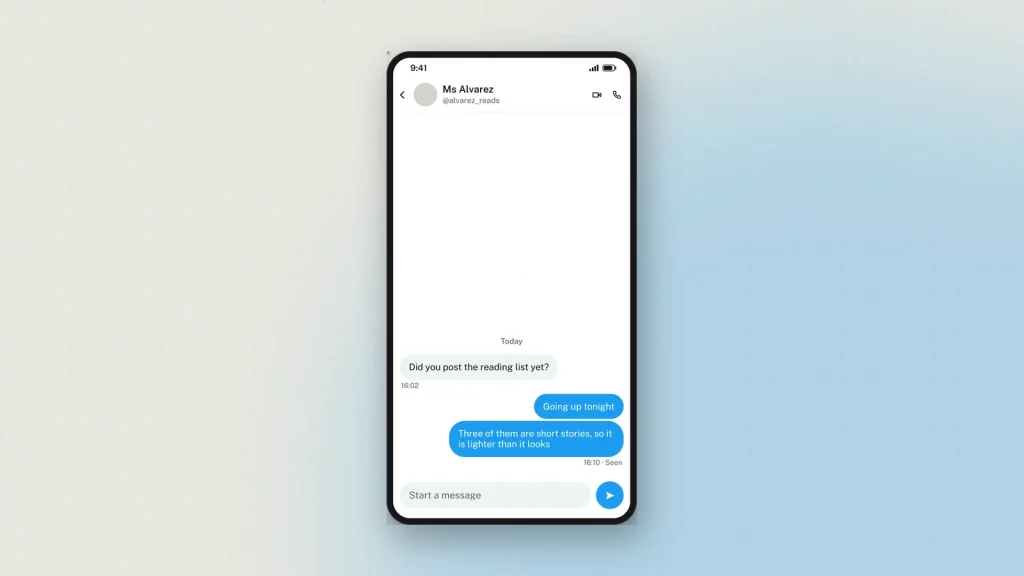
A direct message on X is not a post, and the two should not be mocked up the same way. A DM has a header with the display name and the handle under it, bubbles rather than a card, a seen marker, and none of the counts that make a post a post.
The Twitter DM generator draws the direct-message view. Here is how to use it and what to get right.
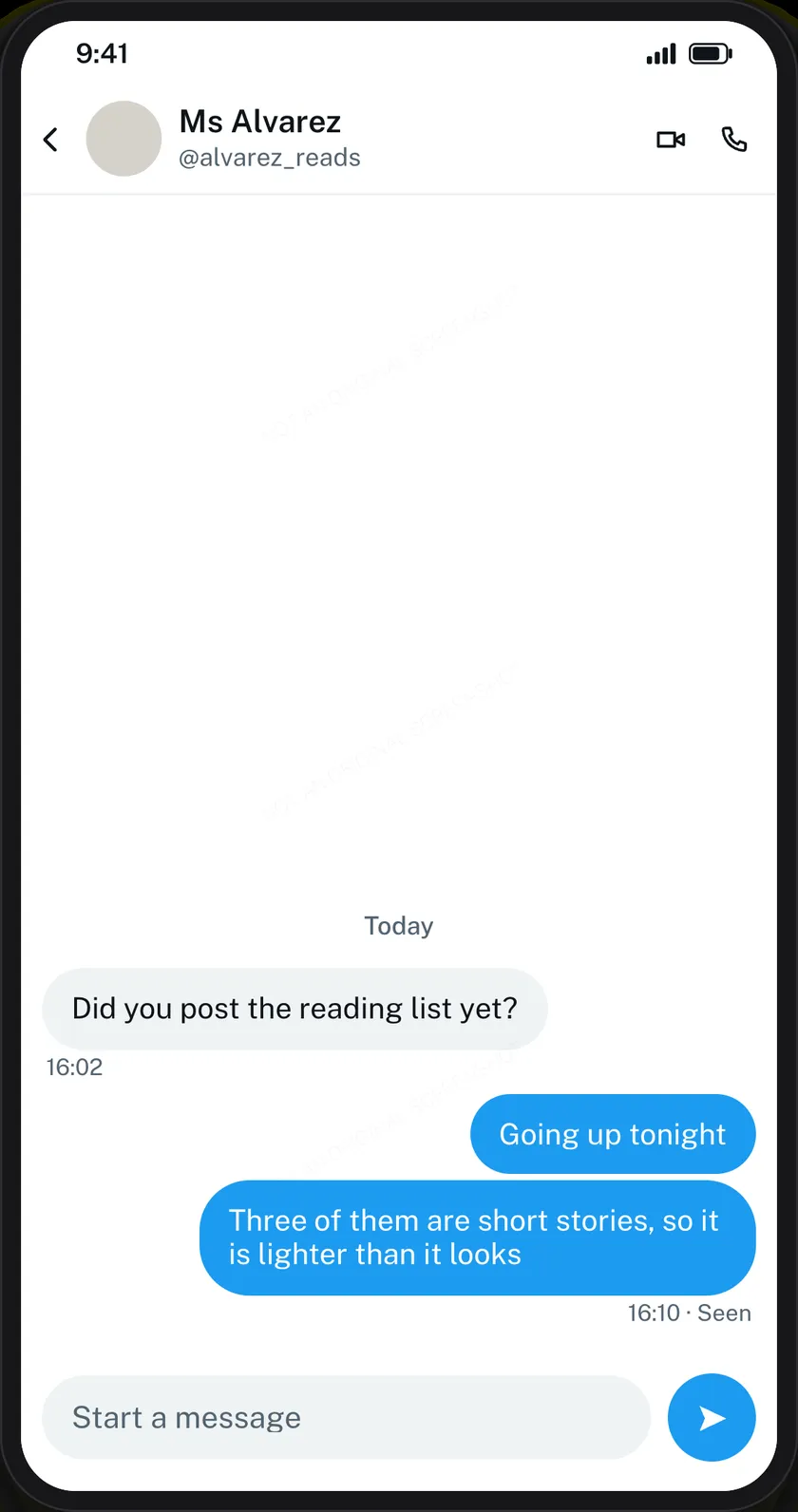
The header carries two names
X’s DM header shows the display name with the @handle underneath, plus the avatar and, if you switch it on, the verified tick. A header with only one of the two names is the quickest tell that a mockup was built from memory.
Blue is yours, grey is theirs
Your messages are blue and right-aligned; theirs are grey and left-aligned. It sounds obvious and it is the error people make most often when they build one by hand — a thread where both sides are blue is not a thread anybody has seen.
Seen sits once, at the end
X puts Seen under the last message of a run, not against every bubble. Mark the final message and leave the rest alone.
Pick the theme for the room
Light, dim and dark — the same three X offers everywhere else. Dim is the one for a slide deck. Dark is heavy under a projector and light blows out in a bright room, which is a boring observation that saves a lot of squinting.
What else fits
- Photos, shared into the thread.
- Date dividers, for showing a gap between days.
- Timestamps per message, which is where to be careful: a reply stamped before the message it answers is the most common error in any chat mockup.
Keep messages short. DMs are shorter than posts. A paragraph in a DM bubble reads as written-for-a-slide.
Editing on the preview
Dashed bubbles edit in place: tap the one you want and its field opens, highlighted on the preview. On a phone the editor splits — preview above, controls below — and follows the field you are editing.
The newest message sits at the bottom and a long conversation runs off the top, which is what a real screenshot does.
The watermark on chat downloads
Every chat mockup carries a faint “Not an original screenshot” line, repeated so that cropping keeps at least one copy, and it cannot be switched off. Chat screenshots are the format most often used to fabricate evidence of a conversation; posts and stories do not carry it, chat tools do.
There is also a hidden origin mark the verification tool reads from the file as it was downloaded. Resizing it or re-saving it as a JPEG destroys that mark, so check the original rather than a copy that has been through a messaging app.
What people use it for
- Scam awareness. The fake verification offer, the brand-partnership approach, the crypto pitch — the DMs that arrive the moment an account gets any attention.
- Online-safety teaching. A harassment or pressure exchange recreated safely, so a class can name the pattern.
- Press and PR training. A worked example of an approach message, used to show tone to a team.
- Design work. A placeholder DM inside an app mockup.
- Documentation. A screenshot in a help article that will not break when the real conversation is deleted.
Common questions
Is this for X or for Twitter?
Both — the same product under two names. The mockup follows X’s current direct-message design.
Is it free?
Yes, with no sign-up. Every feature including HD downloads works as a guest.
Can I add the verified tick?
Yes, as a switch beside the display name.
How many messages can a thread hold?
Up to 50, with the end of the conversation showing in the frame.
Does it do dark mode?
All three X themes: light, dim and dark.
Is anything sent to X?
No. Nothing you write leaves your browser until you download, and then only the finished image comes to us to be watermarked and signed. See the privacy policy.
What about a public post rather than a DM?
That is the fake tweet generator, with replies, counts and community-note boxes. There is also a desktop-layout version for slides.
Label what you make as a mockup — see responsible use.