Zeoob’s Wheel of Names: What It Is and How to Use It
A free random name picker you spin in the browser. How it works, how to keep a draw fair, and the settings that matter for classrooms, giveaways and teams.
On this page
- What is the Wheel of Names?
- How does the Wheel of Names work?
- Step-by-step guide to using the Wheel of Names
- How to add and remove names
- Customising the wheel
- Adjusting spin length
- Ensuring fairness with random selection
- Why the Wheel of Names is useful for teachers
- The Wheel of Names for giveaways and competitions
- Forming random groups and teams
- The versatility of a spinner
- Common questions
A wheel of names does one small job: it picks one name from a list, in front of everybody, in a way nobody can argue with. That last part is the whole reason it exists. A random number generator would pick just as fairly and convince nobody, because the room did not watch it happen.
Zeoob’s wheel of names is free, runs in your browser, needs no account, and lets you download the result. This is what it does and how to get the most out of it.
What is the Wheel of Names?
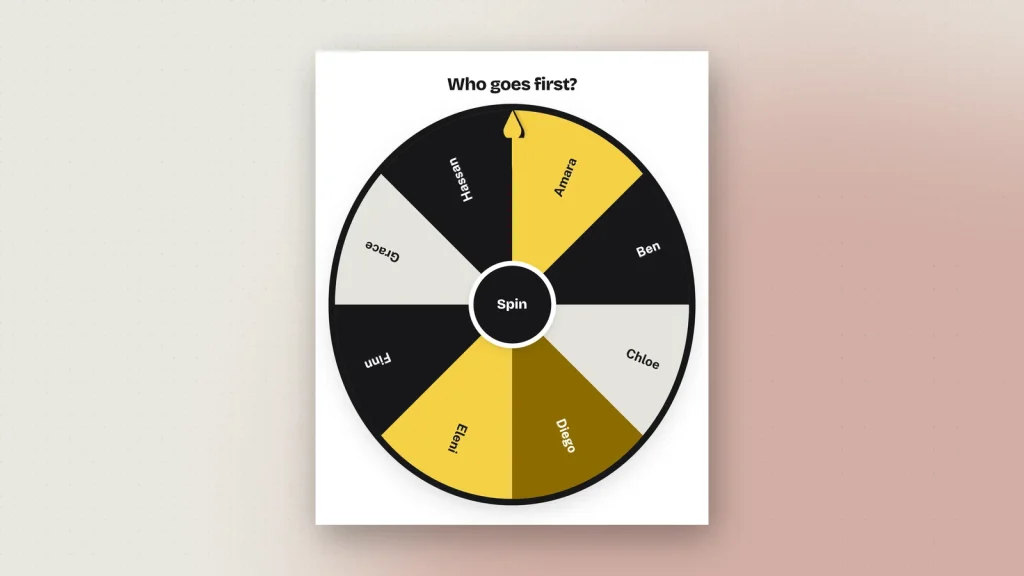
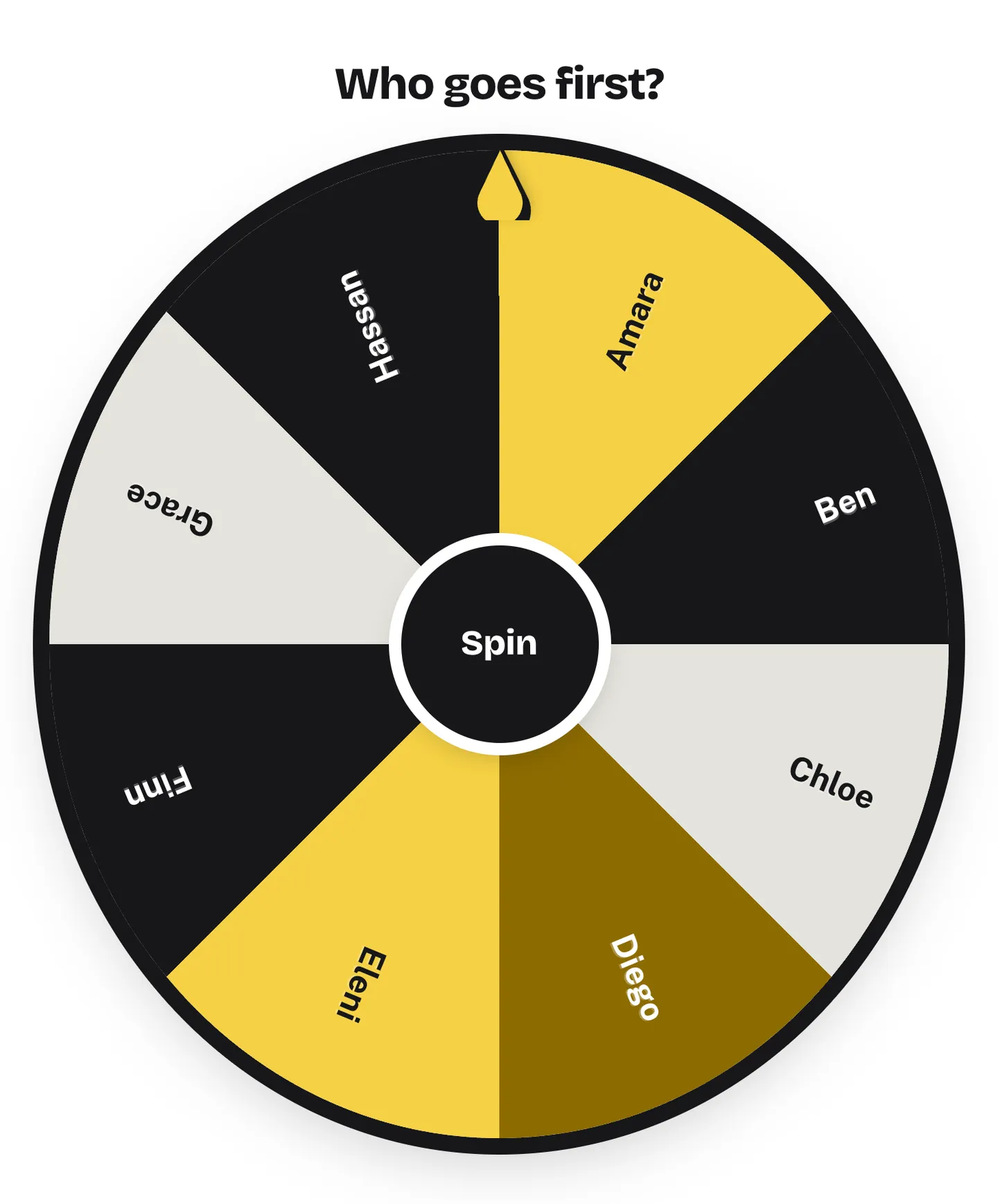
A circular wheel divided into one wedge per name. You spin it, it slows down, and whichever wedge stops under the pointer is the winner.
People reach for one instead of a hat or a spreadsheet for a reason that has nothing to do with randomness and everything to do with the audience. A draw everybody watches is a draw nobody disputes. The spinning is theatre, and the theatre is the point.
It is also the one tool on Zeoob that is not a mockup. Every other generator here draws a picture of something that exists on a platform — a post, a chat, a tweet. The wheel is the thing itself.
How does the Wheel of Names work?
You type a list, one name per line. The wheel redraws as you type, splitting itself evenly so every name gets an equal slice. Press the hub in the middle — or tap the space bar — and it spins.
Underneath, the order of events matters more than it sounds:
- The wheel is given a random landing position by the browser’s own random number generator.
- It turns through several full rotations and stops there.
- The winner is then read off whichever wedge sits under the pointer.
That is the opposite of how a lot of spinners work, and it is worth understanding. A tool that picks the winner first and then animates the wheel to match can be nudged — by a weighting, by a bug, by somebody’s thumb on the scale. One that lands somewhere and then looks at where it landed cannot. There is no step at which a name is chosen.
Step-by-step guide to using the Wheel of Names
- Start from a list. Five starting points sit above the editor — a class register, a giveaway, a decision, teams, or blank. Each arrives with a sensible number of entries for the job.
- Put your names in. One per line in the Names box. Paste a register straight out of a spreadsheet and it works; blank lines are ignored.
- Add a title. Optional, shown above the wheel and included in the download. “Who reads next?” or “Prize draw”. Leave it empty to hide it.
- Choose how long the spin runs. Short, Normal or Long. Long is for an audience; Short is for working quickly through a register.
- Spin. Press the hub, or hit the space bar — useful when you are presenting and your hands are elsewhere.
- Read the winner. It appears under the wheel, and is announced to screen readers rather than only shown.
Nothing is uploaded while you do any of this, and nothing is posted anywhere. The names stay in your browser.
How to add and remove names
The Names box is the whole interface for the list, and three buttons sit under it:
- Shuffle randomises the order. This does not change anybody’s odds — every name has the same slice whatever order they sit in — but it stops the wheel looking like the register it was pasted from, which matters if the list is alphabetical and people notice.
- Sort puts it alphabetically, which is the fastest way to spot a name typed twice.
- Clear empties it.
For removing names as you go, turn on Remove the winner. Each name comes off the wheel as it is drawn, so you can work through a whole class without anybody being picked twice and without editing the list by hand between spins. Leave it off for a prize draw where the same person could win two prizes.
Customising the wheel
Four colour schemes — Zeoob, Bright, Cool and Mono. They are not just decoration: the text colour on each wedge is chosen from the colour behind it, so a name on a dark slice is white and a name on a light slice is near-black. Mono is the one to pick if you are projecting onto a wall rather than a screen, or printing the result.
Two more settings change how a spin feels:
- Hide names until it stops. The wheel spins blank and the names reappear when it stops. Use this for anything contested — it removes the suspicion that somebody timed the stop, because there is nothing to time.
- Show the result on the wheel. A banner with the winning name, which is what appears in the download. Turn it off if you want a picture of the wheel alone.
Adjusting spin length
Short, Normal and Long. The honest advice is that this is an audience setting, not a fairness one — the outcome is decided by where it lands, and a longer spin does not make the landing any more random.
Use Long when a room is watching and the suspense is doing work. Use Short when you are cold-calling through a register and the twelfth four-second spin has stopped being entertaining. Normal is the right default.
If you have reduced motion turned on in your operating system, the spin shortens automatically rather than being removed, so you still see it happen.
Ensuring fairness with random selection
This is the section that matters, because “is it actually random?” is the question somebody always asks.
Every name has an equal slice. The wheel divides 360 degrees by the number of entries. Nothing is weighted and there is no paid option to weight it. Two entries get 180 degrees each; twenty get 18 degrees each.
Nothing is chosen in advance. As above — the wheel lands, then the winner is read off the pointer. There is no list of outcomes and no preselection.
Shuffle is a real shuffle. It uses a Fisher–Yates shuffle, where every possible ordering is equally likely. The one-line trick most sites use for this — sorting with a random comparator — produces a measurably biased result, with some positions far more likely than others. It looks random and is not. If a tool’s shuffle matters to you, that is worth knowing about any tool, not just this one.
What would make a draw unfair is procedural, not technical. Deciding the rule after seeing the result. Re-spinning because you did not like who came up. Letting somebody who is absent be drawn and then quietly skipping them. Decide those before you spin, say them out loud, and the wheel will not be the weak point.
Why the Wheel of Names is useful for teachers
Cold-calling is the main use, and it solves a real problem: in most classrooms the same three or four hands go up, and the students who most need to be asked are the ones who have learned they will not be.
Paste the register, turn on Remove the winner, and work through the class. Nobody is picked twice, nobody is skipped, and — the part that matters — nobody can claim you singled them out, because they watched the wheel do it.
Beyond that: deciding presentation order, picking who reads next, allocating topics, forming groups. The tool is the same; only the list changes.
One piece of practical advice. Tell the class at the start that the wheel is genuinely random and that you are not steering it. It sounds unnecessary and it is not — a student who believes the teacher chose them reacts very differently from one who believes the wheel did.
The Wheel of Names for giveaways and competitions
For a public prize draw, three things make the difference between a draw people accept and one they argue about:
- Spin it where people can see. On a live stream, in a meeting, on a shared screen. A result produced privately is an assertion.
- Use Hide names. It removes the only credible accusation — that the stop was timed.
- Download the result. Tick the responsible-use box, pick a resolution, and you get a PNG or a PDF of the wheel with the winning name on it, to post alongside the announcement.
Be honest about what that picture is, though. It is a record of what the wheel showed. It is not proof that the draw was run fairly, and nobody should present it as one — a screenshot cannot demonstrate a process. If a draw has real money or a legal obligation attached, the picture is a courtesy to your audience, not evidence.
Forming random groups and teams
There are two ways round this, and the second is usually better.
The obvious approach is to put the people on the wheel and spin repeatedly, assigning the first few to team one and so on. It works, and it takes as many spins as you have people.
The quicker way is to put the team names on the wheel instead — Red, Blue, Green, Yellow — and spin once per person. Four wedges, one spin each, and groups come out roughly even. It also reads better in a room, because each person gets their own moment rather than watching a list being carved up.
If you need groups to be exactly equal, neither method guarantees it; spin for the first few and assign the remainder, or use Remove the winner on the people-wheel and deal them out in order.
The versatility of a spinner
Past classrooms and giveaways, people use it for chores and rotas, deciding where to eat, who takes the notes, which task to start with, picking a topic, and settling anything where the argument is costing more than the decision is worth.
Two to twenty names is the comfortable range for readability. More works — the box takes up to 4,000 characters, which is several hundred names — but the labels shrink. Past forty, split the list and spin twice.
Common questions
Is Zeoob’s Wheel of Names free?
Yes, with no sign-up. Every feature, including HD downloads, works as a guest.
Is it genuinely random?
Yes. Equal slices, nothing weighted, and the winner is read off where the wheel stops rather than decided beforehand. Shuffle uses Fisher–Yates.
How many names can I use?
Up to 4,000 characters — several hundred names. Two to twenty keeps the labels comfortably readable.
Can I stop the same name winning twice?
Yes — turn on Remove the winner.
Can I hide the names while it spins?
Yes, and it is worth doing for any contested draw.
Does it work on a phone?
Yes. The editor has a phone layout with the wheel above and the controls below, and you tap the hub to spin.
Can I save a list for next time?
Auto-save keeps your wheel in that browser. Log in and it follows you between devices.
Can I download the result?
Yes — a PNG or a PDF of the wheel with the winner on it, at 2×, 3× or 4×.
Are the names uploaded anywhere?
Not while you use it. Downloading sends the finished picture to us once so it can be signed, and we keep a record of that — see the privacy policy. The list itself is never sent unless you download.