Fake Tweet/X, Facebook, Instagram posts generator & many more
Create realistic social media posts, chats and stories, complete with comments, reactions and your own photos. Pick a tool, edit on the live preview and download in HD. Free, in your browser, no sign-up.
Popular: Fake Instagram Post Generator Fake Tweet Generator Fake WhatsApp Chat Generator Fake Facebook Post Generator Fake TikTok Post Generator
Pick a generator and start in seconds
Every tool is free, works on desktop and phone, and lets you edit right on the preview.
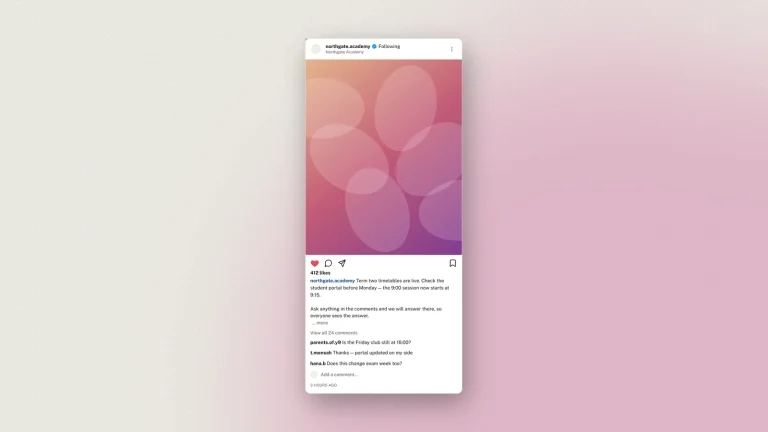
- Fake Instagram Post Generator 4.9 · 62,191 ratings Realistic Instagram posts with up to 10 images, captions, likes and comments. Free · Educational Carousel Dark mode Comments
- Fake Tweet Generator 4.9 · 41,287 ratings Tweets with images, polls, context notes and a full reply chain. Free · Educational Reply chain Dim and dark Polls
- Fake Instagram Story Generator New Full-screen 9:16 stories with frames, stickers, polls and music. Free · Educational Stickers 9:16 HD
- Fake Instagram Chat (DM) Generator 4.8 · 23,910 ratings Direct messages with photos, voice notes, calls and chat colours. Free · Educational Chat colours Seen
- Tweet Generator (PC) The desktop web layout of a post, with replies and views. Free · Educational Desktop layout
- Fake Twitter Chat (DM) Generator X direct messages with handles, timestamps and seen labels. Free · Educational Light and dark
- Fake Facebook Post Generator 4.8 · 33,569 ratings Status posts with photo collages, reactions, comments and audience. Free · Educational 10 photos Reactions
- Fake Messenger Chat Generator Messenger chats with themes, avatars, photos and calls. Free · Educational Filled icons Seen
- Fake Snapchat Post Generator 4.2 · 3,024 ratings Full-screen snaps with a caption bar you can move. Free · Educational Caption bar 9:16
- Fake Snapchat Chat Generator Snapchat chats with sender labels, gold-star verified and media. Free · Educational Sender labels
- Fake TikTok Post Generator TikTok video screens with counts, sound and the right rail. Free · Educational For You Counts
- Fake WhatsApp Chat Generator 4.5 · 29,131 ratings WhatsApp chats for Android and iPhone, with ticks, photos and calls. Free · Educational Android and iOS Blue ticks
- Fake iPhone Text Message Generator 4.4 · 20,352 ratings iMessage and SMS threads with real bubble tails and receipts. Free · Educational iMessage or SMS
- Fake Discord Chat Generator New A Discord channel with many people, role colours, @mentions, reactions and BOT tags. Free · Educational Role colours Reactions BOT tags
- Fake Reddit Post Generator New A Reddit post and its nested comment thread, with votes, flair, awards and OP/mod tags. Free · Educational Nested comments Votes & awards OP/mod tags
- Meme Generator 3.7 · 6 ratings Put top and bottom text on your own picture, or make a two-panel meme. Free · Educational No watermark Your own image
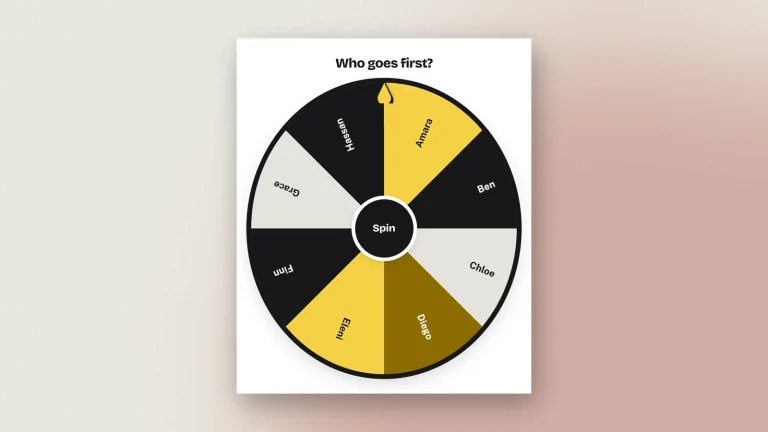
- Wheel of Names 4.7 · 1,152 ratings Spin a customizable wheel to pick a name at random. Free · Educational Animation Share results
More than a fake post generator: templates, saved work and share links
The new Zeoob keeps everything that made it popular, free tools, no sign-up, instant previews, and adds what people asked for most: templates to start from, work that saves itself, links you can share and HD files sharp enough for print.
-
Pre-built templates
Start from a ready-made post, story or chat (a viral tweet, a product launch, a WhatsApp chat) and change only what you need.
-
Save your work
Your edits save as you go. Guests keep drafts in this browser; with an account they follow you to every device.
-
Your dashboard
Log in to see every saved mockup in one place: reopen, duplicate, rename or delete, and pick up where you left off.
-
Share with an expiring link
Send a link instead of a file. Choose 1, 3, 7 or 30 days, add an optional PIN, and the copy is deleted when the link expires.
-
3× and 4× HD downloads
Export sharp PNG or PDF files at up to 4× resolution, crisp on slides, print handouts and retina screens.
-
Guest or account, your choice
Everything works without signing up. Create a free account only when you want sync, a dashboard and share links.
-
Pixel-true mockups
Current layouts for every platform: light, dim and dark modes, verified badges, reactions, read receipts and real bubble shapes.
-
Private by design
Editing happens in your browser. The image reaches us only when you download it, so it can be watermarked and signed — and it is never shown to anyone else.
Instagram Story generator, now on Zeoob
Our newest tool. Make a full-screen Instagram story with the stickers people actually use and your own photos, and download it in HD. Like every Zeoob tool it is free, needs no account and is edited right on the preview.
- Full-screen 9:16 story in a real phone frame, exported at 1080 × 1920 and up
- Stickers that look the part: poll, question, countdown, mention, location, link and music
- Several frames per story, each with your own photo or background colour
- Profile picture, name, time and verified badge, all editable in place on the preview
The easiest social media mockup editor, on desktop and on your phone
Most generators give you a long form and a preview you have to scroll back to. Zeoob turns the preview itself into the editor: click or tap any dashed area and type. It is the same editor in all 17 tools, so once you know one, you know them all.
On desktop: edit where you look
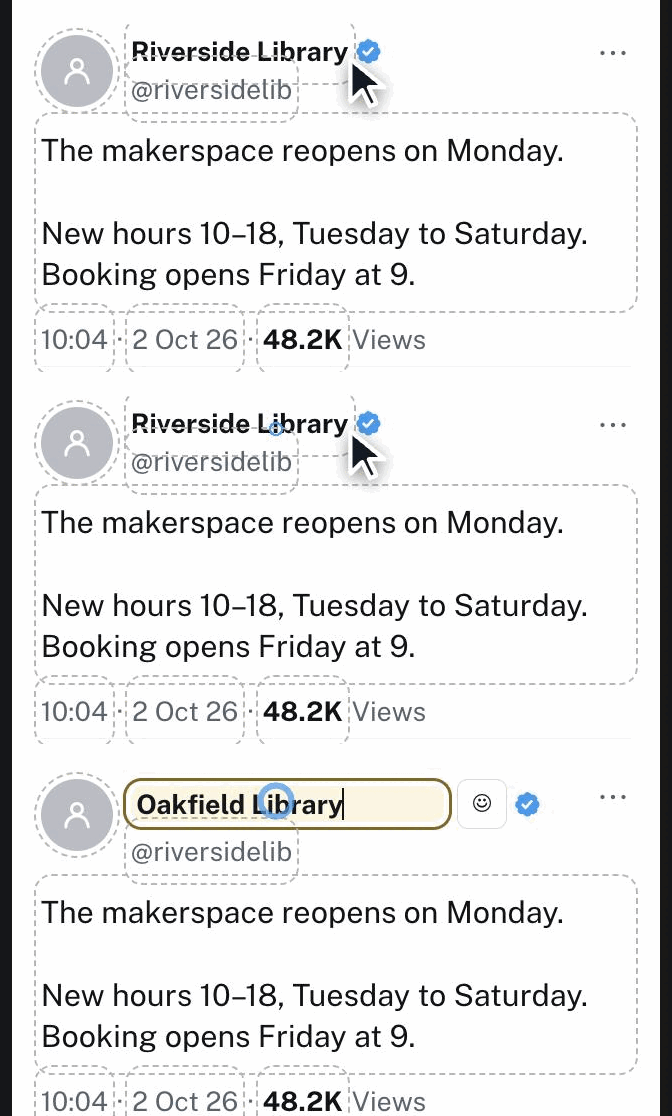
- Click the preview, not a formEvery name, caption, count and photo is a dashed area on the preview. Click it and type in place; the matching control lights up beside it.
- Controls that stay out of the wayTabs keep long tools short, and the preview stays pinned beside you while you scroll the controls.
- What you see is what you downloadThe HD file is rendered from the same preview, so there are no surprises after you click Generate.
On your phone: a real studio, not a squeezed form
Many people make mockups on a phone, so the phone layout was designed as a studio of its own.
- A split studio made for thumbsPreview on top, controls below. Drag the divider to give either one more room.
- Tap the preview to editTap any dashed area and the field opens right there, with the keyboard pushing the split, never covering your work.
- Follow the editThe preview zooms to whatever you are typing, so you always see the change on a small screen.
- Zoom, scroll, full previewZoom the preview in or out, scroll long chats inside the pane, and open a full-screen preview before you export.
Zeoob compared with a typical mockup generator
| Feature | Zeoob | What you often find elsewhere |
|---|---|---|
| Edit directly on the preview | Yes, every dashed area | Usually form fields only |
| Phone editing | Split studio with zoom and follow-the-edit | Often a desktop form on a phone |
| Download quality | PNG or PDF up to 4× | Often a single fixed size |
| Start from a template | Pre-built templates for each tool | Often a blank start |
| Keep your work | Auto-save as a guest, sync with an account | Often lost on refresh |
| Share without a file | Link with 1 to 30 day expiry and PIN | Not usually offered |
| Sign-up needed | Never for making and downloading | Sometimes, or to download |
Three steps, no account
-
1
Pick a tool
Seventeen generators, from Instagram posts to iPhone messages, plus a Wheel of Names. No sign-up, nothing to install.
-
2
Edit on the preview
Click any dashed area to change names, text, counts and photos. The preview updates as you type.
-
3
Download in HD
Tick the responsible-use box and download a PNG or PDF, up to 4× resolution.
Built for people who teach with social media
Social media simulators make abstract lessons concrete: what a real post looks like, and how easily one is faked.
-
Teachers
Run media-literacy lessons with realistic examples your class can pull apart.
-
Marketing trainers
Draft campaigns and train staff on platform formats before anything goes live.
-
Designers and creators
Show clients how a post or chat will look, in light and dark, on any platform.
Every fake social media generator in one place
Zeoob is a free fake post and fake chat generator and social media simulator for X (Twitter), Instagram, Facebook, Messenger, WhatsApp, iPhone messages, Snapchat and TikTok. Here is what each tool does and who it is for.
Fake tweet generator for X (Twitter)
Make a fake tweet that looks exactly like a post on X: display name, @handle, verified badge, text up to 2,000 characters, up to four images in the real grid, a poll with live percentages, a readers’ context note and a full reply chain with likes, reposts and views. Switch between light, dim and dark, or use the PC version for the desktop web layout.
Teachers use the tweet generator to show how quickly a convincing post can be made; marketers use it to draft a launch thread before it goes live.
Fake Tweet Generator Tweet Generator (PC) Fake Twitter Chat (DM) Generator
Fake Instagram post generator, story and chat (DM)
Create an Instagram post with a carousel of up to ten photos, caption, hashtags, likes and comments, in 1:1, 4:5 or landscape. The new Instagram Story generator makes full-screen 9:16 stories with stickers and music, and the fake Instagram chat generator builds direct-message (DM) threads with photos, voice notes and chat colours.
All three share one editor, so a post, its story and the DM conversation around it look consistent in a lesson or a pitch deck.
Fake Instagram Post Generator Fake Instagram Story Generator Fake Instagram Chat (DM) Generator
Fake Facebook post generator and Messenger chat
Make a Facebook status post with up to ten photos in a collage, audience icon, Sponsored label, the top three reactions and a comment section where each comment can carry its own reactions. The Messenger chat generator adds themed conversations with avatars, photos and calls.
Fake WhatsApp chat generator and iPhone text messages
Build a fake WhatsApp chat for Android or iPhone with blue ticks, photos, voice notes, calls and date dividers, up to fifty messages long. The iPhone text message generator makes iMessage (blue) and SMS (green) threads with real bubble tails and delivered or read receipts.
Fake WhatsApp Chat Generator Fake iPhone Text Message Generator
Fake Snapchat post generator and TikTok videos
Make a full-screen Snapchat post with a movable caption bar and gold-star verified badge, a Snapchat chat with sender labels, or use the fake TikTok post generator for a video screen with the right-hand rail of likes, comments, saves and shares, plus Following and For You tabs.
Fake Snapchat Post Generator Fake Snapchat Chat Generator Fake TikTok Post Generator
A social media simulator for responsible use
Zeoob is a media-literacy, online-safety and copywriting sandbox, built for classrooms and marketing training. It is a social media simulator for education, training, design and parody. Every download asks you to confirm responsible use, chat downloads carry a “Not an original screenshot” watermark, and our guides explain how to spot a fake post. Please label mockups as mockups and never use them to deceive or impersonate anyone.
Learn with Zeoob
-
 Teaching
How to Verify an Image Is Real: A Field Guide to Screenshot and Photo Forensics
A screenshot is one of the easiest things in the world to fake, and a convincing fake now…
Teaching
How to Verify an Image Is Real: A Field Guide to Screenshot and Photo Forensics
A screenshot is one of the easiest things in the world to fake, and a convincing fake now…
-
 Tutorials
How to Edit a Mockup in Zeoob: Tap-to-Edit and the Studio
Zeoob edits by tapping the live preview, not filling in a form. How to edit any mockup in…
Tutorials
How to Edit a Mockup in Zeoob: Tap-to-Edit and the Studio
Zeoob edits by tapping the live preview, not filling in a form. How to edit any mockup in…
-
 Social
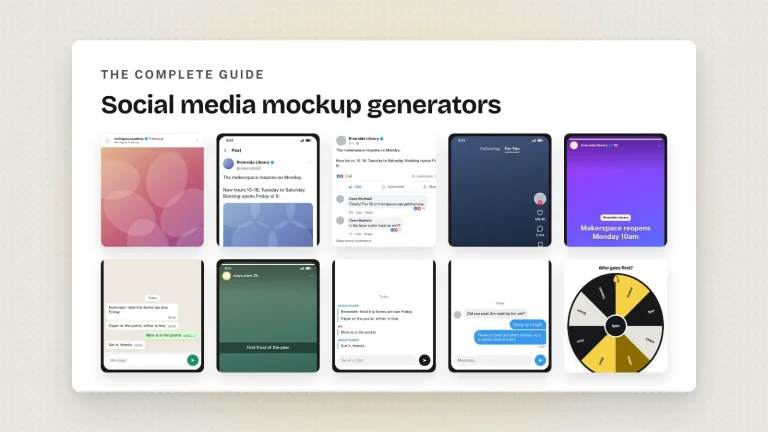
The Ultimate Guide to Social Media Mockup Generators (2026 Edition)
What a social media mockup generator does, what separates a convincing one from an obvious one, and which…
Social
The Ultimate Guide to Social Media Mockup Generators (2026 Edition)
What a social media mockup generator does, what separates a convincing one from an obvious one, and which…
-
 Social
Best Free Learning Resources for Students in 2026: The Ultimate Guide
Which free study tools are worth your time, which quietly waste it, and how to tell the difference…
Social
Best Free Learning Resources for Students in 2026: The Ultimate Guide
Which free study tools are worth your time, which quietly waste it, and how to tell the difference…
-
 Tutorials
Zeoob’s Wheel of Names: What It Is and How to Use It
A free random name picker you spin in the browser. How it works, how to keep a draw…
Tutorials
Zeoob’s Wheel of Names: What It Is and How to Use It
A free random name picker you spin in the browser. How it works, how to keep a draw…
-
 Instagram Simulator
How to Use Fake Instagram Posts for Marketing: A Guide for Businesses and Educators
Mockups let you test a campaign, brief a team and teach a class without publishing anything. Where they…
Instagram Simulator
How to Use Fake Instagram Posts for Marketing: A Guide for Businesses and Educators
Mockups let you test a campaign, brief a team and teach a class without publishing anything. Where they…
Is Zeoob free?
Yes. Every generator is free to use in your browser, with HD downloads as PNG or PDF.
Do I need an account?
No. You can make and download a mockup without signing up. An account adds saved work across devices and expiring share links.
Can I start from a template?
Yes. Each tool has pre-built templates, from a viral tweet to a WhatsApp chat. Pick one, then edit anything on the preview.
How do I save my work?
Turn on auto-save in any tool. As a guest your drafts stay in this browser; log in and they sync to your dashboard on every device.
How do share links work?
Log in, choose how long the link lasts (1, 3, 7 or 30 days) and add an optional PIN. The copy is deleted when the link expires.
What can I use these mockups for?
Teaching, training, presentations, media-literacy lessons, design drafts and parody. Label them as mockups when you publish, and never use them to deceive or impersonate.
Does it work on my phone?
Yes. Every tool has a phone layout with a split studio: the preview on top, the controls below, and you can tap the preview to edit it.
What resolution are the downloads?
Choose 2×, 3× or 4× and download a PNG or PDF. 4× is sharp enough for print and large screens.
Is there an Instagram Story generator?
Yes, it is new: a full-screen 9:16 story with stickers, music, several frames and your own photos, exported in HD.
Is editing on a phone really easy?
Yes. The split studio keeps the preview above the controls, zooms to the field you are editing and moves with the keyboard.
Which platforms can I mock up?
Instagram, X (Twitter), Facebook and Messenger, Snapchat, TikTok, WhatsApp and iPhone messages, plus a Wheel of Names.
Is my content uploaded anywhere?
You edit it in your browser — nothing is sent while you work. Downloading sends the finished image to us once, to be watermarked and signed, and we keep a record of it. A share link stores a second copy, which is deleted when the link expires. Nothing is ever posted to a social platform.