What is a fake Messenger chat generator?
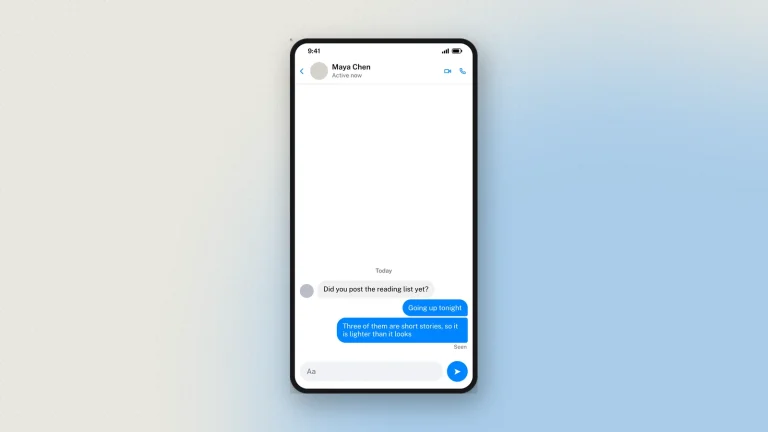
A fake Messenger chat generator builds a Facebook Messenger conversation as a downloadable image. You write both sides, set names and avatars, add photos, voice notes and call records, drop a reaction on a message, mark one as seen, change the chat colour, and switch light or dark. The output is a picture of a chat screen — no message is sent and no Facebook account is connected.
Because a Messenger thread is private, a real screenshot of one always exposes a real person. A Messenger mockup is how you get the example without the exposure: a scam approach for a digital-literacy lesson, a support exchange for documentation, a conversation in a slide where a genuine one would be a privacy problem.
Features of the fake Messenger chat generator
- Both sides of the chat, each with a name, an avatar and its own timings.
- Seen, delivered and reactions, including the emoji drop on a single message.
- Photos, voice notes and call records, with durations you set.
- Chat colours and the gradient bubbles Messenger offers, plus light and dark mode.
- Long conversations, running well past a single screen.
- HD download as PNG or PDF, with nothing sent while you write.
How to make a fake Messenger chat
The fake Facebook Messenger chat generator builds an FB chat mockup in your browser. No install, no account, and the preview updates as you type.
- Set the contact. Name, avatar, the verified tick, and the status underneath — active now, or active 2h ago.
- Write both sides. Each message is a card: Them or Me, the text, and the time.
- Add what Messenger has. Photos, voice notes with a duration, call records, and date dividers between days.
- Set reactions and seen. A reaction emoji hangs off the corner of a bubble, and the seen avatar sits under the last message of a run.
- Pick the chat colour and theme. Messenger lets a conversation take its own colour, and light and dark both use the app's own surfaces.
- Download. Tick the responsible-use box, choose 2×, 3× or 4×, and take a PNG or a PDF.
How to use the fake Messenger chat generator for schools
Messenger threads are private, so a genuine screenshot always exposes someone. Building one is how the example gets made safely.
- Scam awareness. The hacked-friend message — "is this you in this video?" — is a Messenger classic and takes two minutes to recreate.
- Safeguarding. Walk through a pressure pattern message by message with no real child's words involved.
- Reactions and tone. A laughing reaction on a serious message is a whole lesson about how the interface flattens meaning.
- Online classes. Export at 3× so the small type holds up on a shared screen.
Label it as a mockup when it goes beyond the room.
Chat design tips
What makes a Messenger mockup read as a screenshot rather than a diagram.
- Seen is a tiny avatar, not a word. Messenger shows the other person's profile picture under the last message they have read. A "Seen" label is Instagram's pattern, not this one.
- Reactions hang off the bubble. They overlap the bottom corner rather than sitting on their own line.
- Keep the thread colour consistent. A conversation has one colour, set once. Changing it mid-thread is not something the app does.
- Short bubbles, several of them. Messenger conversations run as bursts of short messages, not as paragraphs.
- Use dark mode. It is the more common setting and it photographs better on a slide.
- A phone screen that scrolls. The preview is one screen and scrolls through the thread; the download carries all of it.
Every chat download carries a faint "Not an original screenshot" watermark plus a hidden origin mark the verification tool reads from the original file.
Messenger Chat examples
What a fake FB chat gets built for. It is a simulator, not a client: nothing you write is sent to anybody.
- Online-safety teaching. A pressure or grooming exchange recreated safely, so a class can name what is happening without a real conversation being shown.
- Scam awareness. The cloned-profile message, the marketplace deposit, the "is this you in this video" link — the messages people actually receive.
- Community and support training. A worked example for moderators or support staff, without using a real member's words.
- Marketing and design pitches. A placeholder conversation inside an app mockup, at the resolution a slide needs.
- Documentation. A screenshot in a help article that will not break when the real thread is deleted.
- Fiction, film and pranks. On-screen messages for a production, or a prank on a friend that is obviously a joke and leaves nobody believing it.
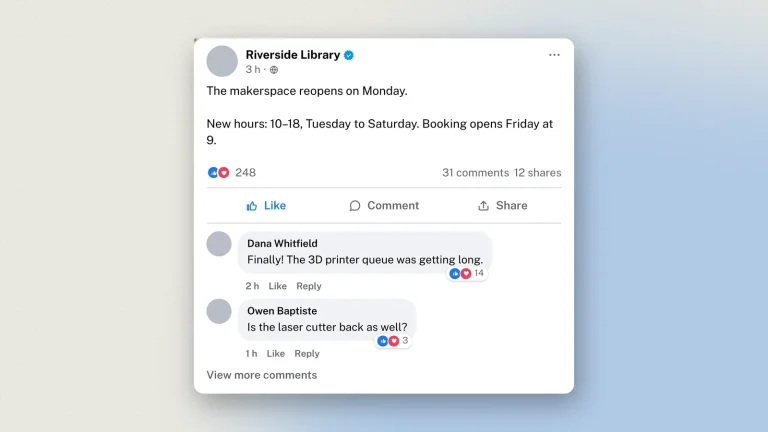
For a public post rather than a private message, use the Facebook post generator.
FAQ
Is the fake Messenger chat generator free?
Yes, with no sign-up. Every feature, including HD downloads, works as a guest.
Can I add reactions to a message?
Yes. A reaction emoji hangs off the corner of the bubble, as Messenger draws it.
How do I show a message as seen?
Messenger uses a small profile picture under the last message that has been read, and that is what the tool draws.
Can I change the chat colour?
Yes — Messenger lets a conversation take its own colour, and so does the mockup.
Can I add photos, voice notes and calls?
Yes, along with date dividers between days.
Is there a dark mode?
Yes, with Messenger's own dark colours.
How many messages can a chat have?
Up to 50 items, and every row in the thread counts as one — messages, photos, voice notes, call entries and date dividers each take a slot, not just the text bubbles. The preview is one phone screen and scrolls through the thread, opening on the newest message; the download is the whole conversation, however long it runs.
Is my conversation uploaded anywhere?
You edit it in your browser and nothing is sent while you work. Downloading sends the finished image to us once, to be watermarked and signed, and we keep a record of it. Nothing is ever sent to Messenger. See the privacy policy.
Disclaimer
The conversations made here were never sent. Messenger threads are private and unverifiable from outside, so a mockup must never stand in as a record of a real exchange. Zeoob is an independent education tool, not affiliated with or endorsed by any platform it imitates. Use the images for teaching, training, design, documentation and clearly labelled parody — never to deceive or impersonate. Every download carries a hidden origin mark that the verification tool reads back, and responsible use sets out where the line sits.