·
Views
Readers added context they thought people might want to know
Nothing saved yet. Your work is kept in this browser as you go.
X / Twitter
TikTok
Discord
More tools
Make a realistic X (Twitter) post mockup in your browser. Set the name, handle, text, counts and replies, add a context note, switch light, dim or dark, preview it live, then download a PNG. Free, no sign-up.
Replies
1 / 20Shown under the post in this order. Dashed text on the preview edits in place.
Maximum reached: 20. Remove one to add another.
Readers added context they thought people might want to know
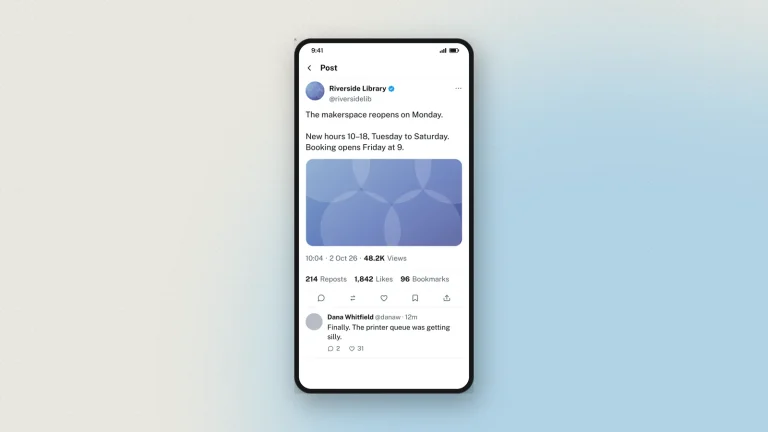
This is Zeoob's fake tweet generator for the desktop — a fake tweet maker that draws the post on the X (Twitter) web app instead of inside a phone. You get the desktop timeline layout — the wider card, the column and sidebar proportions, the post sitting in a browser rather than a handset — with the same full control over the name, handle, text, counts, theme, replies, poll and Readers-added-context note. It renders a tweet mockup as an image you download in HD; nothing is published to X and no account is involved.
Pick the desktop frame when the mockup is going into a slide, a blog post or a document, because it fills a landscape space without a phone's bezel eating a third of the width. Everything the phone version can do is here — verified tick, 20-reply threads, a working poll, light, dim and dark themes, bookmarks and up to four images — just drawn the way X looks on a computer. Use the phone version instead when the point is that someone is reading the post on their phone.
This is the fake tweet generator, PC version: the same tool on X's wide desktop web layout rather than the phone one. It runs in your browser, with no install and no account.
Everything is edited on the preview itself; dashed areas are the editable ones.
The desktop frame is the one for teaching, because it fills a projector or a slide without a phone bezel taking a third of the width.
For a lesson about phone habits, use the phone version instead — the frame is part of the argument.
When to reach for the desktop layout rather than the phone one.
Every image carries a hidden origin mark the verification tool reads from the original file.
What the desktop tweet mockup is used for. Zeoob is a social media simulator, so what you build here looks like X and exists only as an image.
For the phone layout, use the fake tweet generator. For direct messages, the Twitter DM generator.
The frame. This draws X's wide desktop web layout; the standard tool draws the phone one. Everything you can set is the same.
Yes, with no sign-up. Every feature, including the verified tick and HD downloads, works as a guest.
No. The name describes the layout it draws, not the device you need. It works on a phone too, and the editor has its own phone layout.
Yes, as a switch beside the display name.
Up to 2,000 characters.
All three X themes: light, dim and dark.
You edit it in your browser and nothing is sent while you work. Downloading sends the finished image to us once, to be watermarked and signed, and we keep a record of it. Nothing is ever posted to X. See the privacy policy.
Tweets made here were never posted to X. The desktop frame reads as a screenshot from a laptop, which makes it more credible and the labelling more important, not less. Zeoob is an independent education tool, not affiliated with or endorsed by any platform it imitates. Use the images for teaching, training, design, documentation and clearly labelled parody — never to deceive or impersonate. Every download carries a hidden origin mark that the verification tool reads back, and responsible use sets out where the line sits.
Step-by-step guides and ideas for getting more out of this tool.
 Start here
Simulators
How to Make Tweets With a Custom Tweet Generator
Set the author, the text, the counts and the theme, add replies and a context note, then download your tweet mockup in HD. Free,…
4 min read
Tweet Generator
What Is a Fake Tweet Generator? And How to Use One Properly
A fake tweet generator builds a picture of a post that was never published. What it is for, how to make one that holds…
5 min read
 Simulators
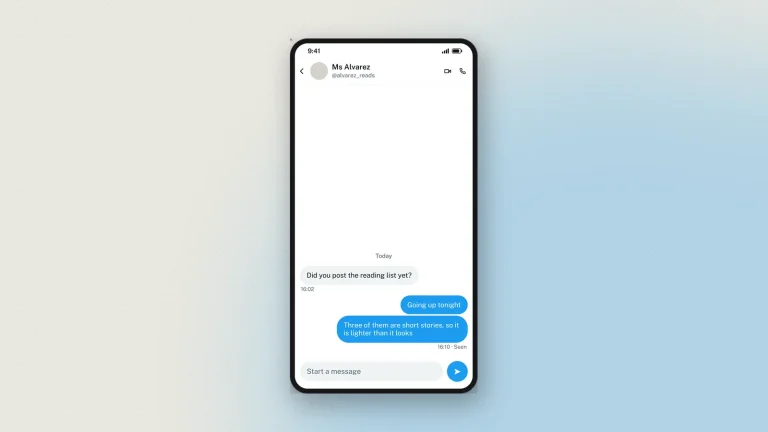
How to Generate a Fake Twitter Chat and DMs
Build an X (Twitter) direct message thread in your browser — both sides, verified ticks, seen receipts and all three themes — then download…
4 min read
We use cookies for analytics, for ads and for the anti-bot check on our forms. The generators work either way. Cookie policy