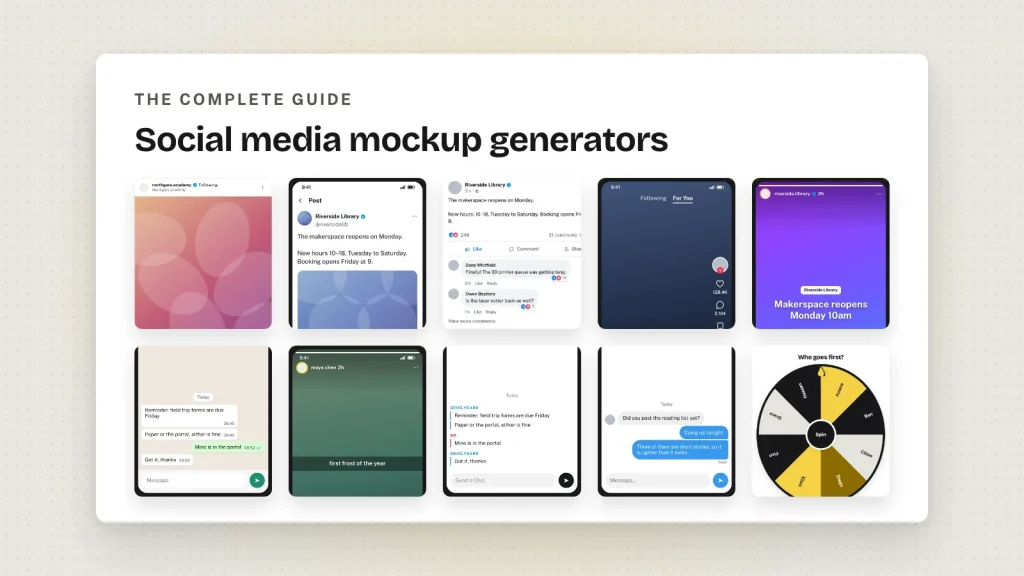
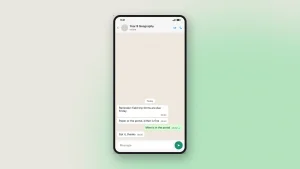
The Ultimate Guide to Social Media Mockup Generators (2026 Edition)

Social media has become one of the most powerful communication channels in the world. Every day, billions of people interact with posts, tweets, reels, stories, comments, chats, and online conversations across dozens of platforms. Whether you’re a marketer launching a campaign, a teacher explaining digital citizenship, a designer presenting a prototype, or a content creator brainstorming ideas, visualizing your content before publishing has become an essential part of the creative process.

This is where social media mockup generators have transformed the way people work.

Instead of editing screenshots in complicated software or creating interface designs from scratch, modern browser-based mockup tools allow anyone to generate realistic social media posts within minutes. They provide an interactive way to experiment with layouts, captions, hashtags, comments, reactions, profile information, and even messaging conversations without publishing anything publicly.

As online communication continues to evolve, these tools have expanded far beyond entertainment. Today they are used by educators, businesses, marketing agencies, UX designers, journalists, researchers, developers, and students around the world.

In this comprehensive guide, you’ll learn everything about social media mockup generators, how they work, who uses them, their advantages, practical applications, ethical considerations, and how platforms like Fake Tweet GeneratorInstagram Post GeneratorFacebook Post GeneratorTikTok Post GeneratorSnapchat Post GeneratorWhatsApp Chat GeneratorInstagram Chat GeneratorMessenger Chat GeneratorTwitter Chat GeneratoriPhone Chat Generator, and Wheel of Names help people create realistic digital simulations for countless professional and educational purposes.


What Is a Social Media Mockup Generator?

A social media mockup generator is an online application that recreates the appearance of popular social media platforms. Instead of posting content to a live account, users can build a realistic representation of posts, conversations, comments, or chats inside a controlled environment.

These mockups imitate familiar platform interfaces while allowing complete customization of various elements, including:

  • Profile name
  • Profile picture
  • Username
  • Post caption
  • Images
  • Emojis
  • Hashtags
  • Likes
  • Comments
  • Reactions
  • Share counts
  • Timestamps
  • Location tags
  • Verification badges
  • Dark mode or light mode
  • Reply chains
  • Chat messages

Most modern generators provide a live preview, allowing changes to appear instantly while editing. Once complete, users can export the design as a high-quality image for presentations, documentation, educational material, marketing proposals, blog articles, or design portfolios.

Unlike image editing software, these tools don’t require graphic design skills. Their interfaces are built specifically for recreating social media layouts accurately and efficiently.


Why Social Media Mockups Matter More Than Ever

Digital communication is increasingly visual.

People understand ideas much faster when they see realistic examples rather than reading descriptions.

Imagine explaining a Twitter campaign without showing the tweet.

Or presenting an Instagram advertising strategy without displaying how the post will actually appear.

Or teaching students about cyberbullying without demonstrating realistic conversations.

Visual context dramatically improves understanding.

Social media mockups bridge the gap between imagination and presentation.

Instead of describing an idea, you can simply show it.

That simple difference saves time, improves communication, and reduces misunderstandings across almost every profession.


How Social Media Mockup Generators Have Evolved

The earliest mockups were usually edited screenshots created in software like Photoshop. Designers manually recreated buttons, icons, fonts, spacing, and profile layouts.

Although the results looked realistic, the process required technical expertise and considerable time.

As web technologies improved, browser-based generators began replacing traditional editing software.

Today’s generators provide features such as:

  • Real-time editing
  • Automatic interface updates
  • Multiple themes
  • Responsive layouts
  • Image uploads
  • Emoji support
  • Conversation threads
  • Comment chains
  • Project saving
  • Instant downloads

Modern generators are capable of producing results that closely resemble current platform interfaces while remaining easy enough for beginners to use.


Who Uses Social Media Mockup Generators?

Many people assume these tools are only for creating humorous content.

In reality, their applications span dozens of industries.

Digital Marketers

Marketing teams frequently visualize campaign concepts before publishing them.

Instead of guessing how advertisements, announcements, or promotional posts will appear, marketers can present complete mockups during client meetings.

This allows teams to refine messaging, adjust layouts, review branding consistency, and collect stakeholder feedback before launching campaigns.


Graphic Designers

Designers often need realistic interface examples inside presentations, portfolios, or case studies.

Rather than spending hours recreating interfaces manually, mockup generators simplify the entire process.

Designers can focus on creativity instead of rebuilding platform layouts.


Teachers and Educators

Classrooms increasingly discuss digital citizenship, online behavior, misinformation, cyberbullying, and media literacy.

Creating fictional social media examples provides students with realistic learning scenarios without involving actual online accounts.

Teachers can demonstrate:

  • Positive online communication
  • Harmful comments
  • Responsible posting
  • Privacy awareness
  • Digital footprints
  • Fact-checking
  • Ethical online behavior

Interactive lessons are often far more memorable than traditional lectures.


Students

Students frequently use mockups in presentations, assignments, media studies, communication courses, marketing projects, and journalism classes.

Instead of using screenshots taken from real people, they can safely create original examples specifically for educational purposes.


Businesses

Companies regularly prepare internal announcements, marketing concepts, product launches, customer engagement strategies, and investor presentations.

Showing realistic social media examples helps decision-makers evaluate ideas before investing advertising budgets.


Content Creators

Creators constantly experiment with:

  • Captions
  • Hashtags
  • Visual layouts
  • Engagement styles
  • Branding

Mockups allow them to preview ideas before publishing to real audiences.

This reduces mistakes while improving overall content quality.


Major Types of Social Media Mockups

Different platforms require different layouts and interactions.

As a result, modern generators specialize in recreating unique interfaces.

Social Media Post Mockups

These simulate complete public posts found on platforms like Instagram, Facebook, X (formerly Twitter), TikTok, and Snapchat.

Users can customize every visible element while maintaining an authentic appearance.

Popular tools include:

  • Fake Tweet Generator
  • Instagram Post Generator
  • Facebook Post Generator
  • TikTok Post Generator
  • Snapchat Post Generator

Each platform has its own visual language, engagement metrics, and content structure, making specialized generators especially useful.


Chat Mockups

Messaging interfaces are equally important.

Chat generators recreate realistic conversations between two or more participants.

They are commonly used for:

  • Storytelling
  • Educational examples
  • Customer support demonstrations
  • App prototypes
  • UX presentations
  • Training materials

Popular examples include:

  • WhatsApp Chat Generator
  • Instagram Chat Generator
  • Messenger Chat Generator
  • Twitter Chat Generator
  • Snapchat Chat Generator
  • iPhone Chat Generator

Unlike traditional screenshots, chat mockups can be customized entirely from scratch.


Random Selection Tools

Although not technically social media generators, random selection tools complement digital collaboration and online engagement.

For example, Wheel of Names helps users randomly select participants, giveaway winners, classroom volunteers, discussion topics, or brainstorming ideas.

Teachers, streamers, businesses, and event organizers frequently integrate these tools into live sessions.


The Advantages of Browser-Based Mockup Tools

The popularity of browser-based generators continues to grow because they eliminate many barriers associated with traditional software.

No Installation Required

Users can begin creating immediately without downloading applications or purchasing expensive design software.

A modern browser is often all that’s needed.


Easy to Learn

Most generators prioritize simplicity.

Editing names, images, captions, comments, and reactions usually requires only a few clicks.

This makes the tools accessible even for beginners.


Faster Content Creation

Creating realistic mockups manually may take hours.

Dedicated generators reduce that process to minutes.

For professionals handling multiple projects, these time savings quickly become significant.


Consistent Platform Designs

Modern social media interfaces frequently change.

Dedicated generators are designed to stay aligned with current layouts, helping users produce more realistic visualizations than manually edited screenshots.


Accessible Across Devices

Many browser-based tools work across desktop computers, tablets, and smartphones, allowing projects to continue regardless of device.

This flexibility supports remote work, online learning, and collaborative workflows.


Exploring the Different Types of Social Media Mockup Generators

Every social media platform has its own design language, content style, and user experience. A post that looks perfect on Instagram would feel out of place on X (formerly Twitter), while a WhatsApp conversation has a completely different layout than a Facebook status update.

This is why modern social media mockup generators are built specifically for individual platforms rather than using a one-size-fits-all approach.

Whether you’re preparing a marketing campaign, creating educational resources, designing UI concepts, or simply visualizing ideas before publishing, choosing the right mockup generator can make a significant difference.

Let’s explore the major categories and understand when each one is most useful.


X (Twitter) Mockup Generators

X remains one of the world’s most influential platforms for breaking news, public discussions, announcements, and trending conversations. Because tweets are frequently embedded in articles, presentations, and marketing reports, realistic tweet mockups have become increasingly valuable.

A dedicated tweet generator allows users to recreate the appearance of an authentic tweet while customizing every important element.

Typical customization options include:

  • Profile picture
  • Display name
  • Username
  • Tweet content
  • Images
  • Hashtags
  • Mentions
  • Emojis
  • View count
  • Likes
  • Replies
  • Retweets
  • Bookmarks
  • Reply chains
  • Dark, Dim, and Light modes

These features make tweet mockups useful for much more than entertainment.

When Should You Create Tweet Mockups?

Tweet simulations are commonly used for:

  • Marketing proposals
  • Product launch planning
  • Journalism presentations
  • UI/UX design
  • Classroom discussions
  • Public relations planning
  • Conference presentations
  • Social media strategy documents

Instead of imagining how a campaign announcement will look, teams can see a realistic version before posting it publicly.

For users who need desktop-friendly tweet layouts, Fake Tweets Generator for PC offers another convenient option for creating larger mockups suitable for presentations and reports.


Instagram Post Mockup Generators

Instagram focuses heavily on visual storytelling.

Captions, images, hashtags, comments, engagement metrics, and profile branding all work together to create the overall experience.

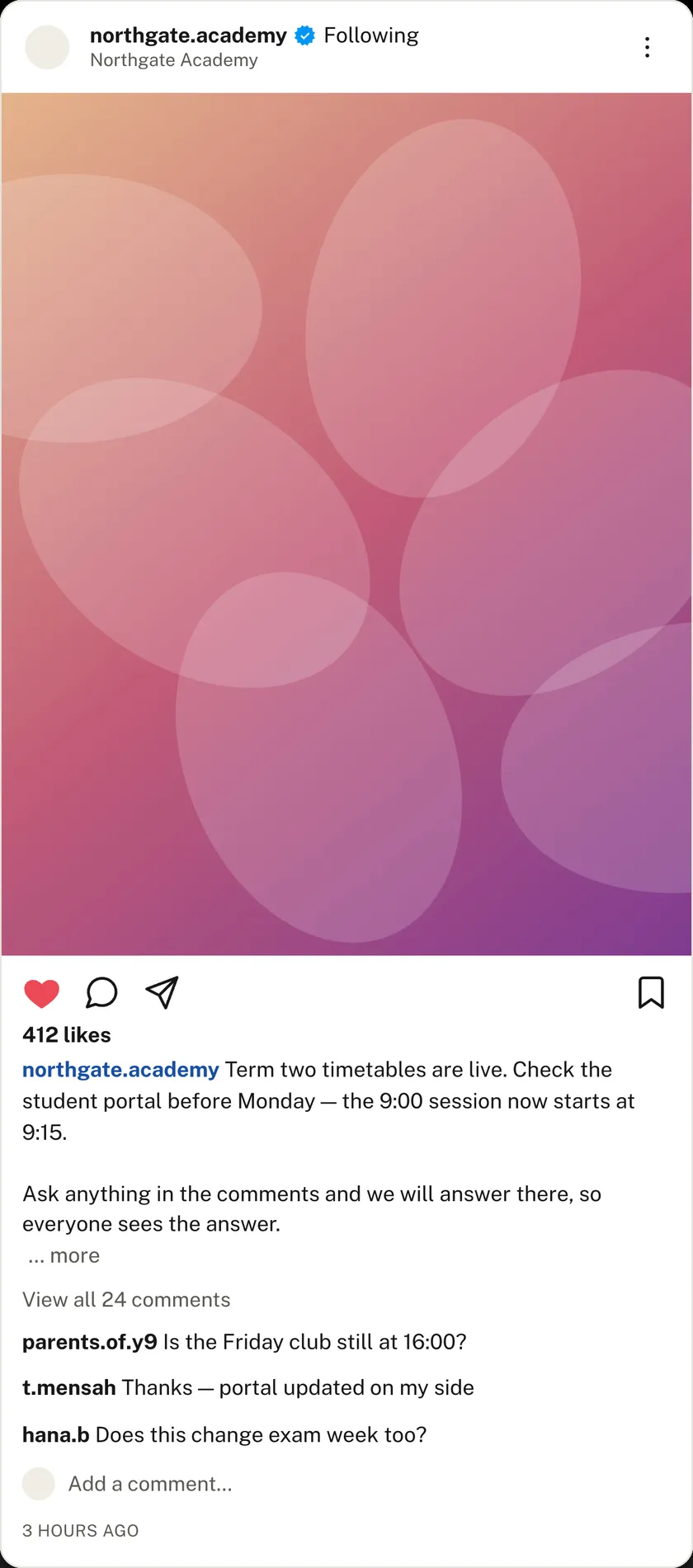
An Instagram post generator recreates this environment without requiring users to publish actual content.

Users can typically customize:

  • Profile photo
  • Username
  • Caption
  • Image
  • Likes
  • Comments
  • Emojis
  • Hashtags
  • Geo tag
  • Verified badge
  • Story visibility
  • Dark mode
  • Light mode

This flexibility makes Instagram mockups useful for a wide range of industries.

Popular Uses

Marketing agencies often present campaign ideas to clients before investing in photography or advertising.

Graphic designers showcase branding concepts.

Influencers preview sponsored content.

Teachers explain responsible social media behavior.

Students create media studies projects.

Instead of editing screenshots manually, creators can simply build a realistic preview directly inside the browser.


Facebook Post Mockup Generators

Despite the rise of newer social platforms, Facebook continues to play a major role in business communication, community engagement, local marketing, and organizational announcements.

Businesses frequently prepare announcements before publishing them.

Organizations review fundraising campaigns.

Community managers test engagement strategies.

A Facebook post generator helps visualize these ideas by recreating familiar Facebook layouts.

Common editable elements include:

  • Profile information
  • Cover details
  • Status updates
  • Photos
  • Reactions
  • Comments
  • Shares
  • Timestamps
  • Verified profile indicators

These mockups are especially valuable when presenting ideas to clients or stakeholders who want to review content before publication.


TikTok Mockup Generators

Short-form video has changed digital marketing forever.

TikTok has become one of the fastest-growing social platforms, influencing trends across nearly every industry.

While videos remain the primary content format, creators often need visual concepts before investing time in production.

TikTok mockup generators help users visualize:

  • Video thumbnails
  • User profiles
  • Captions
  • Hashtags
  • Likes
  • Comments
  • View counts
  • Interface layout

Marketing teams can compare multiple concepts before filming.

Content creators can organize campaign ideas.

Designers can prepare mobile app presentations featuring realistic TikTok interfaces.


Snapchat Mockup Generators

Snapchat introduced an entirely different style of communication built around temporary visual content.

Brands targeting younger audiences frequently use Snapchat-inspired campaigns.

Snapchat mockup generators recreate familiar interface elements while allowing complete customization.

These generators are useful for:

  • Educational demonstrations
  • Marketing concepts
  • Mobile application design
  • Storytelling
  • Campaign planning

Because Snapchat emphasizes visual interaction, realistic previews often communicate ideas far better than written descriptions.


Chat Mockup Generators

Messaging applications have become just as important as public social networks.

Every day, billions of conversations occur across messaging platforms.

Whether you’re creating a tutorial, illustrating customer support scenarios, writing fictional stories, or teaching online safety, realistic conversation mockups provide valuable context.

Unlike screenshots, chat generators allow complete control over every message.

Users decide exactly what appears in the conversation.


WhatsApp Chat Generators

WhatsApp is one of the most widely used messaging platforms in the world.

Businesses, teachers, writers, customer support teams, and marketers often need realistic messaging examples without exposing real conversations.

A WhatsApp chat generator allows users to create conversations featuring:

  • Sender messages
  • Receiver messages
  • Time stamps
  • Images
  • Emojis
  • Read receipts
  • Voice messages (where supported)
  • Status indicators

These simulated conversations are commonly used in:

  • Customer service documentation
  • Software tutorials
  • Educational resources
  • Digital literacy programs
  • Product demonstrations

Instagram Chat Generators

Instagram Direct Messages have become a primary communication channel for influencers, brands, and creators.

An Instagram chat mockup helps users demonstrate conversations in a familiar interface while protecting personal privacy.

Typical applications include:

  • Marketing tutorials
  • Customer support examples
  • Educational material
  • Storytelling
  • UX presentations

Because conversations remain fictional, users maintain complete control over every detail.


Messenger Chat Generators

Messenger conversations continue to play an important role for businesses and community organizations.

Messenger chat simulations are often used in:

  • Customer support documentation
  • Employee training
  • Product walkthroughs
  • Sales demonstrations
  • Internal presentations

Instead of revealing private customer conversations, organizations can recreate examples specifically designed for training purposes.


X (Twitter) Chat Generators

Although public tweets receive most attention, private messaging has become another important communication channel.

A Twitter chat generator helps visualize direct message conversations while preserving user privacy.

These mockups are useful for:

  • Educational demonstrations
  • Mobile application prototypes
  • Design portfolios
  • Customer communication examples

Snapchat Chat Generators

Snapchat conversations have their own distinctive appearance and interaction style.

Developers and designers often recreate these interfaces while testing new mobile experiences.

Educators may also use Snapchat chat simulations to discuss online communication, privacy, and responsible messaging.


iPhone Chat Generators

Not every conversation happens inside social media apps.

Many presentations require realistic SMS or iMessage-style conversations.

An iPhone chat generator helps recreate familiar messaging interfaces for:

  • Product presentations
  • App demonstrations
  • Fiction writing
  • Video production
  • Marketing examples
  • Educational resources

These simulations are especially popular among mobile developers who need interface examples during application design.


Random Decision-Making Tools

Although they serve a different purpose, random selection tools often complement social media campaigns and educational activities.

One of the most versatile examples is the Wheel of Names.

Instead of manually selecting participants, teachers, event organizers, businesses, and streamers can create an interactive spinning wheel that randomly chooses names, prizes, discussion topics, or classroom activities.

Common applications include:

  • Giveaway winner selection
  • Classroom participation
  • Team-building exercises
  • Icebreaker activities
  • Brainstorming sessions
  • Event games
  • Workshop engagement

Random selection improves transparency while making activities more engaging and enjoyable.


Choosing the Right Mockup Generator

The best generator depends entirely on your objective.

If you’re creating a campaign proposal for a client, an Instagram or Facebook post generator may be the ideal choice.

If you’re explaining breaking news coverage, a tweet mockup often communicates ideas more effectively.

When developing customer support documentation, messaging generators usually provide the most realistic examples.

For classroom discussions around digital citizenship or cyberbullying, combining post generators with chat simulations creates immersive learning experiences that encourage discussion and critical thinking.

Instead of relying on screenshots or complex editing software, browser-based mockup generators allow anyone to build professional-looking social media simulations in just a few minutes.

As these tools continue to evolve, they are becoming essential resources for educators, marketers, designers, businesses, developers, students, and content creators who want to communicate ideas visually with greater clarity and efficiency.

Real-World Applications of Social Media Mockup Generators

The true value of a social media mockup generator becomes clear when you look beyond the interface itself. While creating realistic posts and chat conversations is impressive, the real advantage lies in how these visual simulations help people communicate ideas, test concepts, educate audiences, and improve decision-making before anything is published.

Today, organizations across nearly every industry use mockup generators to save time, reduce mistakes, and collaborate more effectively. Let’s explore some of the most common real-world applications.


Marketing Campaign Planning

Launching a successful social media campaign requires much more than writing an engaging caption.

Marketing teams must carefully consider:

  • Brand consistency
  • Visual hierarchy
  • Audience expectations
  • Platform-specific formatting
  • Calls to action
  • Hashtag placement
  • Image composition
  • Engagement strategy

Instead of discussing these elements individually, marketers can build complete social media mockups that closely resemble the final published content.

Imagine a company preparing the launch of a new smartphone.

Rather than presenting a written proposal, the marketing team can create:

  • An X announcement introducing the product.
  • An Instagram promotional post highlighting key features.
  • A Facebook launch announcement for community engagement.
  • A TikTok promotional concept.
  • Customer support conversations using WhatsApp mockups.

Stakeholders immediately understand the campaign because they can visualize it exactly as users will see it.

This often leads to faster approvals and fewer revisions.


Presenting Campaign Ideas to Clients

Marketing agencies frequently pitch multiple creative concepts to clients.

Instead of saying,

“Here’s what your Instagram campaign could look like,”

they can actually show realistic examples.

This transforms abstract ideas into concrete visual experiences.

Clients can compare different layouts, headlines, hashtags, images, and engagement strategies before any content is published.

Mockups also make presentations appear far more professional.

Rather than relying on plain text documents or rough sketches, agencies deliver polished concepts that closely resemble finished campaigns.

This improves communication and builds confidence throughout the approval process.


Content Calendar Planning

Content creators often prepare weeks or months of content in advance.

Visualizing posts before scheduling offers several advantages.

Creators can:

  • Review branding consistency.
  • Maintain a cohesive visual style.
  • Balance promotional and educational content.
  • Identify repetitive designs.
  • Optimize captions.
  • Compare multiple creative directions.

Instead of publishing first and making corrections later, they can refine every detail beforehand.

Many successful creators now design their monthly content using mockups before uploading anything to live platforms.


Influencer Collaboration Proposals

Brands frequently approach influencers with campaign ideas.

Instead of describing sponsored posts through lengthy emails, marketing teams can include realistic mockups showing exactly how collaborations might appear.

Influencers immediately understand:

  • Product placement
  • Caption style
  • Visual branding
  • Call-to-action placement
  • Hashtag usage

This reduces misunderstandings and speeds up collaboration.


Product Launch Planning

Launching a new product often involves multiple social platforms simultaneously.

A coordinated campaign may include:

  • Countdown posts
  • Announcement tweets
  • Behind-the-scenes content
  • Customer testimonials
  • Promotional videos
  • Community updates

Creating visual previews ensures every platform maintains consistent branding while adapting content to each audience.

Mockups become valuable planning documents that align designers, copywriters, marketers, and executives around a shared vision.


Classroom Learning and Digital Literacy

One of the most meaningful applications of social media mockup generators is education.

Teachers increasingly recognize that students learn best through realistic examples rather than hypothetical discussions.

Instead of talking about digital communication, students can interact with familiar interfaces that resemble the platforms they already use every day.

This makes lessons more engaging and memorable.

Teaching Responsible Social Media Use

Students often encounter topics such as:

  • Online etiquette
  • Privacy settings
  • Cyberbullying
  • Digital footprints
  • Misinformation
  • Fake news
  • Responsible commenting

Using realistic social media simulations allows teachers to present fictional scenarios without exposing anyone’s private accounts.

Students can analyze posts, identify potential problems, and discuss better alternatives in a safe learning environment.


Media Literacy Activities

Modern education increasingly emphasizes critical thinking.

Mockup generators help teachers ask meaningful questions such as:

  • Does this post appear trustworthy?
  • Which visual elements influence your opinion?
  • Could this image be misleading?
  • How do hashtags change the message?
  • Which comments promote healthy discussion?
  • What makes online content appear authentic?

These activities encourage students to evaluate information rather than simply accepting it.


Journalism and Communication Courses

Students studying journalism or media communication often need examples for:

  • News reporting
  • Crisis communication
  • Political campaigns
  • Brand announcements
  • Public relations

Instead of using copyrighted screenshots from real accounts, instructors can create fictional social media examples specifically designed for classroom discussions.

This keeps assignments original while avoiding privacy concerns.


UX and UI Design

Designers constantly present interface concepts.

Whether creating a social media management platform, analytics dashboard, or mobile application, realistic examples help clients understand the final product.

Mockup generators eliminate the need to manually recreate every social media interface.

Instead, designers can quickly generate authentic-looking examples that integrate seamlessly into presentations and design prototypes.

This allows more time for solving user experience problems instead of reproducing existing platform layouts.


Software Demonstrations

Technology companies frequently need sample content while showcasing their products.

For example, a social media scheduling platform might require:

  • Instagram examples
  • Facebook previews
  • Tweet layouts
  • Messaging conversations

Rather than creating dozens of screenshots manually, realistic mockups provide clean, customizable assets for product demonstrations.

This is particularly useful during:

  • Investor presentations
  • Software onboarding
  • Product tutorials
  • Sales demonstrations
  • Feature announcements

Customer Support Training

Support teams learn more effectively when training materials include realistic conversations.

Chat mockup generators allow organizations to simulate customer interactions involving:

  • Refund requests
  • Technical support
  • Shipping updates
  • Billing questions
  • Appointment scheduling
  • Product troubleshooting

Employees can practice handling different scenarios without accessing real customer data.

This protects privacy while creating valuable learning experiences.


Writing Fiction and Screenplays

Novelists, scriptwriters, and filmmakers increasingly incorporate digital communication into their stories.

Characters rarely communicate only through face-to-face conversations anymore.

They exchange:

  • Text messages
  • Social media posts
  • Group chats
  • Public announcements
  • Comments
  • Replies

Chat mockups help writers visualize these interactions before they appear in books, comics, films, or television productions.

Some creators even use generated conversations as reference material while drafting dialogue.


Blog Writing and Online Publishing

Articles about social media become significantly easier to understand when they include visual examples.

Instead of describing how an Instagram post should look, writers can include realistic mockups that illustrate each concept.

Common examples include:

  • Marketing tutorials
  • Branding guides
  • Platform comparisons
  • User interface reviews
  • Educational resources
  • Social media best practices

Visual examples increase reader engagement while making technical explanations much easier to follow.


Non-Profit Awareness Campaigns

Charitable organizations often work with limited budgets.

Before investing in advertising, they can use social media mockups to test different campaign messages.

For example:

  • Mental health awareness
  • Environmental campaigns
  • Blood donation drives
  • Community volunteering
  • Animal welfare initiatives

Creating multiple mockups allows teams to compare messaging styles before launching their campaigns.


Event Promotion

Whether organizing conferences, workshops, webinars, or community events, organizers typically promote their activities across several social platforms.

Mockup generators make it easy to preview announcements for:

  • Registration openings
  • Speaker introductions
  • Schedule updates
  • Countdown campaigns
  • Live event coverage

This ensures visual consistency across every platform involved.


Small Business Marketing

Not every business has access to professional designers.

Small business owners often manage social media themselves.

Mockup generators allow them to experiment with ideas before publishing.

For example, a local café might preview:

  • Weekend promotions
  • Seasonal menus
  • Customer appreciation posts
  • Holiday announcements
  • New product launches

This helps maintain a polished online presence without investing in expensive design software.


Why Visual Planning Improves Communication

Humans process visuals significantly faster than plain text.

When stakeholders see a realistic post rather than reading a written description, they immediately understand:

  • Layout
  • Tone
  • Branding
  • Hierarchy
  • Readability
  • Visual impact

This reduces confusion during meetings and shortens approval cycles.

Instead of debating abstract concepts, teams discuss real examples.

That often leads to better decisions, improved collaboration, and more successful campaigns.


From Ideas to Visual Communication

One of the greatest strengths of social media mockup generators is their ability to transform ideas into visuals.

A sentence like,

“Let’s announce our summer sale on Instagram,”

quickly becomes a realistic post complete with branding, captions, images, hashtags, comments, and engagement metrics.

Likewise,

“Let’s demonstrate proper online etiquette,”

becomes an interactive classroom exercise featuring fictional conversations and discussion prompts.

This ability to communicate visually has made mockup generators valuable tools for businesses, educators, designers, marketers, writers, and creators around the world.

As digital communication continues to evolve, the demand for realistic social media simulations will only continue to grow, making these tools an essential part of modern content creation and online collaboration.


Best Practices for Creating Professional Social Media Mockups

Creating a realistic social media mockup is about much more than filling in a few text fields. The most effective mockups are carefully designed to communicate ideas clearly, maintain visual consistency, and support a specific objective.

Whether you’re preparing a client presentation, developing educational material, or planning your next marketing campaign, following proven best practices will help you produce mockups that look professional and deliver maximum value.


Start With a Clear Goal

Before opening any mockup generator, ask yourself one simple question:

“What am I trying to communicate?”

The answer determines every decision that follows.

For example:

  • A marketing agency may want to visualize a product launch.
  • A teacher may need an example for a digital citizenship lesson.
  • A business owner may want feedback before publishing a promotion.
  • A writer may be illustrating a fictional conversation.

Knowing the objective first helps you create focused, purposeful mockups instead of randomly adding content.


Choose the Right Platform

Every social media platform serves different audiences and encourages different types of communication.

Consider where your content naturally belongs.

PlatformBest For
X (Twitter)Announcements, news, public discussions
InstagramVisual storytelling, products, lifestyle content
FacebookCommunities, businesses, events, local marketing
TikTokShort-form video campaigns and trends
SnapchatYouth-focused visual communication
WhatsAppCustomer support and private conversations
MessengerBusiness messaging and customer communication
Instagram ChatInfluencer conversations and direct messaging
iPhone ChatSMS and iMessage simulations

Using the appropriate platform makes your mockup feel much more authentic.


Maintain Brand Consistency

Businesses should ensure every mockup reflects their existing visual identity.

Check that the following elements remain consistent:

  • Logo usage
  • Brand colors
  • Tone of words
  • Writing style
  • Profile images
  • Product photography
  • Call-to-action wording

Even when creating fictional examples, consistent branding makes presentations appear polished and professional.


Write Natural Captions

Many people spend significant time perfecting the design while overlooking the caption.

Great captions usually sound conversational.

Instead of forcing keywords or writing overly promotional text, focus on providing value.

Consider asking questions, sharing useful information, or encouraging discussion.

Authentic language almost always performs better than overly sales-oriented messaging.


Use High-Quality Images

Poor-quality images can instantly reduce the credibility of an otherwise excellent mockup.

Whenever possible, use:

  • High-resolution photographs
  • Properly cropped images
  • Clear product photos
  • Balanced compositions

Avoid blurry images, stretched graphics, or inconsistent lighting.


Keep Engagement Realistic

One of the biggest giveaways of an unrealistic mockup is exaggerated engagement.

For example:

  • A new account with millions of likes.
  • Thousands of comments within seconds.
  • Unnaturally high follower counts.
  • Generic repetitive comments.

Realistic numbers make mockups much more believable.

Remember that the goal is effective communication—not exaggeration.


Review Before Downloading

Before exporting your project, carefully review:

  • Spelling
  • Grammar
  • Emoji placement
  • Hashtag formatting
  • Profile details
  • Image alignment
  • Dates and timestamps

A final review often catches small mistakes that could distract your audience.


Common Mistakes to Avoid

Even experienced creators occasionally make errors that reduce the effectiveness of their mockups.

Fortunately, most of these mistakes are easy to avoid.


Using the Wrong Platform

A message designed for Instagram rarely works exactly the same on X or Facebook.

Each platform has unique formatting, audience expectations, and communication styles.

Tailor your content to match the platform you’re simulating.


Adding Too Much Text

Long paragraphs can overwhelm readers.

Social media content is generally easier to read when it’s concise and well-structured.

Break up lengthy captions where appropriate and focus on delivering one clear message.


Ignoring Visual Balance

Avoid cluttering mockups with excessive hashtags, emojis, stickers, or images.

White space is an important design element.

Clean layouts often look more professional and are easier to understand.


Forgetting Mobile Readability

Most people browse social media on smartphones.

When creating mockups, consider how your content will appear on smaller screens.

Use:

  • Short paragraphs
  • Readable line breaks
  • Clear images
  • Concise captions

Mobile-friendly layouts improve readability and realism.


Using Outdated Interface Designs

Social media platforms frequently update their interfaces.

Older screenshots quickly become outdated.

Browser-based mockup generators help creators stay aligned with modern platform designs without manually recreating interface changes.


Skipping Feedback

Before presenting important mockups to clients or stakeholders, ask colleagues to review them.

Fresh perspectives often identify improvements you may have overlooked.


Comparing Browser-Based Mockup Generators With Traditional Design Software

Years ago, creating realistic social media examples usually required professional design software.

Today, dedicated online generators offer a much simpler workflow.

Browser-Based Mockup GeneratorsTraditional Design Software
Ready-to-use templatesBuild interfaces manually
Beginner-friendlyRequires design experience
Fast editingTime-consuming
Live previewManual adjustments
Browser accessSoftware installation required
Platform-specific layoutsManual recreation of interfaces
Quick downloadsLonger production process

For most educational, marketing, and presentation purposes, browser-based generators provide a faster and more efficient solution.


Choosing Between Different Types of Mockups

Not every project requires the same type of generator.

Here are some practical recommendations.

Choose a Tweet Mockup When You Need

  • Public announcements
  • Breaking news examples
  • Marketing launches
  • Political communication
  • Conference presentations

Choose an Instagram Mockup When You Need

  • Product showcases
  • Influencer campaigns
  • Portfolio presentations
  • Lifestyle branding
  • Visual storytelling

Choose a Facebook Mockup When You Need

  • Community announcements
  • Local business promotions
  • Event marketing
  • Organizational communication

Choose TikTok or Snapchat Mockups When You Need

  • Youth-focused campaigns
  • Trend visualization
  • Creative storytelling
  • Mobile-first content planning

Choose Chat Generators When You Need

  • Customer support examples
  • Educational conversations
  • UX demonstrations
  • Storytelling
  • Training materials

Ethical Use of Social Media Mockup Generators

Like many creative tools, social media mockup generators are most valuable when used responsibly.

They are designed to help people communicate ideas, create educational materials, visualize marketing concepts, build design prototypes, and develop fictional examples.

Using these tools ethically protects both creators and audiences.

Be Transparent When Appropriate

If you’re using a mockup in a presentation, classroom activity, portfolio, or marketing proposal, make it clear that the content is a simulation.

Transparency builds trust and prevents confusion.


Respect Privacy

Never recreate private conversations using real people’s personal information without permission.

If demonstrating a concept, use fictional names, fictional profile photos, or content that you have the right to use.

Protecting privacy should always be a priority.


Avoid Misleading Audiences

Mockups should never be presented as genuine evidence of something that never happened.

Whether you’re creating educational content or campaign concepts, always consider how your audience may interpret the image.

Responsible use helps reduce misinformation and encourages digital literacy.


Use Copyrighted Content Carefully

If you upload images, logos, or other creative assets into a mockup, ensure you have permission to use them.

Whenever possible, rely on:

  • Original photography
  • Licensed graphics
  • Royalty-free images
  • Brand assets that you own or are authorized to use

This helps avoid copyright issues while maintaining professional standards.


Why Browser-Based Tools Continue to Grow

The popularity of browser-based creative tools continues to increase because they solve real problems.

Instead of spending hours recreating interfaces manually, users can focus on what matters most:

  • Communicating ideas
  • Solving problems
  • Collaborating with teams
  • Teaching concepts
  • Planning campaigns
  • Improving content

This shift mirrors broader trends in modern productivity, where accessible cloud-based applications are replacing many traditional desktop workflows.

For educators, marketers, businesses, designers, developers, and creators, browser-based mockup generators provide an efficient way to turn concepts into realistic visual experiences with minimal effort.

As organizations continue to embrace remote collaboration and digital communication, these tools are becoming an increasingly important part of everyday creative workflows.

The Future of Social Media Mockup Generators

The way we create and share digital content is evolving rapidly. Social media platforms introduce new features every year, user expectations continue to change, and artificial intelligence is transforming creative workflows across industries.

As a result, social media mockup generators are becoming more sophisticated than ever before. What started as simple tools for creating fictional posts has grown into an essential part of marketing, education, product design, content planning, and digital communication.

The next generation of mockup generators will likely focus on making content creation even faster, smarter, and more collaborative.


AI-Assisted Content Creation

Artificial intelligence is already helping creators write captions, generate hashtags, summarize ideas, and improve grammar.

In the future, mockup generators may integrate AI features that can:

  • Generate engaging captions based on your topic.
  • Suggest relevant hashtags.
  • Recommend the best emoji combinations.
  • Create multiple content variations.
  • Improve readability.
  • Suggest stronger calls to action.
  • Adapt content for different social media platforms.

Rather than replacing creativity, AI will help creators work more efficiently while maintaining their own unique voice.


More Accurate Platform Updates

Social media platforms frequently redesign their interfaces.

Buttons move.

Icons change.

Layouts evolve.

Professional mockup generators will continue to update their templates to reflect these design changes, ensuring users can create realistic simulations that closely resemble current platform experiences.

Keeping mockups visually accurate is particularly valuable for educators, designers, and businesses preparing presentations.


Better Collaboration Features

Remote work has made online collaboration more important than ever.

Future mockup generators may include additional collaboration features such as:

  • Shared projects
  • Team workspaces
  • Version history
  • Commenting tools
  • Client approval workflows
  • Cloud synchronization

These capabilities would simplify teamwork between designers, marketers, copywriters, and clients working from different locations.


Improved Accessibility

Accessibility is becoming a major priority across the web.

Future tools will likely include more features that help everyone participate in digital content creation, including:

  • Better keyboard navigation
  • Improved screen reader compatibility
  • High-contrast display options
  • More language support
  • Simplified editing interfaces

Accessible design benefits all users, regardless of experience or ability.


Smarter Educational Features

Educational institutions continue to adopt technology that supports interactive learning.

Future social media simulators may offer classroom-focused capabilities such as:

  • Built-in lesson templates
  • Group assignments
  • Classroom project sharing
  • Teacher dashboards
  • Student collaboration
  • Digital citizenship exercises

These improvements would make mockup generators even more valuable for schools, colleges, and online learning environments.


Interactive Presentations

Instead of exporting static images, future mockups may become interactive experiences.

Imagine allowing clients or students to:

  • Open comments.
  • Follow conversation threads.
  • Navigate between screens.
  • Explore different scenarios.
  • Interact with simulated interfaces.

Interactive mockups could significantly improve presentations, workshops, and software demonstrations.


Why Browser-Based Tools Will Continue to Lead

The popularity of browser-based tools continues to increase because they solve practical problems.

Users no longer want to install complex software simply to create a realistic social media example.

Instead, they prefer solutions that are:

  • Fast
  • Accessible
  • Easy to learn
  • Compatible across devices
  • Continuously updated
  • Available anywhere with an internet connection

This trend is expected to continue as cloud-based applications become the standard for digital productivity.


Frequently Asked Questions

What is a social media mockup generator?

A social media mockup generator is an online tool that allows users to create realistic simulations of social media posts, profiles, or chat conversations without publishing anything to a live platform. These mockups are commonly used for presentations, marketing campaigns, education, design projects, and content planning.

Are social media mockup generators free to use?

Many social media mockup generators offer free access to their core features. Some may provide additional premium capabilities, but users can often create professional-looking mockups without paying for expensive design software.

Who uses social media mockup generators?

These tools are used by a wide variety of people, including:
1- Digital marketers
2- Social media managers
3- Graphic designers
4- UX/UI designers
5- Teachers
6- Students
7- Businesses
8- Content creators
9- Journalists
10- Non-profit organizations
11- Software developers

Are browser-based mockup generators secure?

Reputable browser-based tools like Zeoob focus on providing a simple content creation experience without requiring users to publish anything publicly. As with any online service, it’s always a good idea to review the platform’s privacy policy and avoid uploading sensitive personal information.

Which social media mockup generator should I choose?

The ideal tool depends on your project.
If you’re planning a marketing campaign, choose a generator that matches the platform you’re targeting.
For example:
1- Fake Tweet Generator works well for announcements and public discussions.
2- Instagram Post Generator is ideal for visual campaigns and influencer content.
3- Facebook Post Generator is useful for communities and businesses.
4- TikTok Post Generator supports short-form video concepts.
5- Snapchat Post Generator helps visualize youth-focused campaigns.
6- WhatsApp Chat GeneratorMessenger Chat GeneratorInstagram Chat GeneratorTwitter Chat GeneratorSnapchat Chat Generator, and iPhone Chat Generator are excellent choices for creating realistic messaging simulations.


Final Thoughts

Social media has fundamentally changed the way people communicate, learn, collaborate, and promote ideas. As these platforms continue to evolve, the need to visualize content before publishing has become more important than ever.

Social media mockup generators provide a practical solution for turning concepts into realistic visual experiences without requiring advanced design skills or expensive software.

Whether you’re developing a marketing campaign, preparing a classroom lesson, designing a user interface, writing a blog post, creating customer support documentation, or planning your next product launch, mockup generators help bridge the gap between imagination and execution.

Instead of relying on static screenshots or manually recreating interfaces, creators can quickly build accurate simulations that improve communication, encourage collaboration, and simplify decision-making.

From marketers and designers to educators, students, businesses, and content creators, these tools have become valuable resources for anyone who wants to communicate ideas more effectively in today’s digital world.

Explore the Zeoob’s tools that best fit your next project and start transforming ideas into compelling visual content.


Leave a Reply

Your email address will not be published. Required fields are marked *