Use of Social Media Simulators in Teaching: 8 Lessons That Work
Eight classroom exercises built on social media mockups — media literacy, disclosure, scam awareness and more — with what each one needs and where it goes wrong.
On this page
A social media simulator is a tool that draws a post, a story or a conversation that never existed. In a classroom it solves a specific problem: the examples you most want to discuss are the ones you cannot safely put on a screen.
Real screenshots mean real accounts. Showing a class an actual bullying thread means showing them a real child’s words. Showing a real misinformation post hands that post a room full of new readers and, often, a name worth searching for. A mockup removes both problems and lets you build the exact example your point needs rather than the nearest one you could find.
What follows is eight exercises that work, with the setup each one needs. They assume nothing beyond a browser.
1. The badge test
Goal: break the assumption that verified means true.
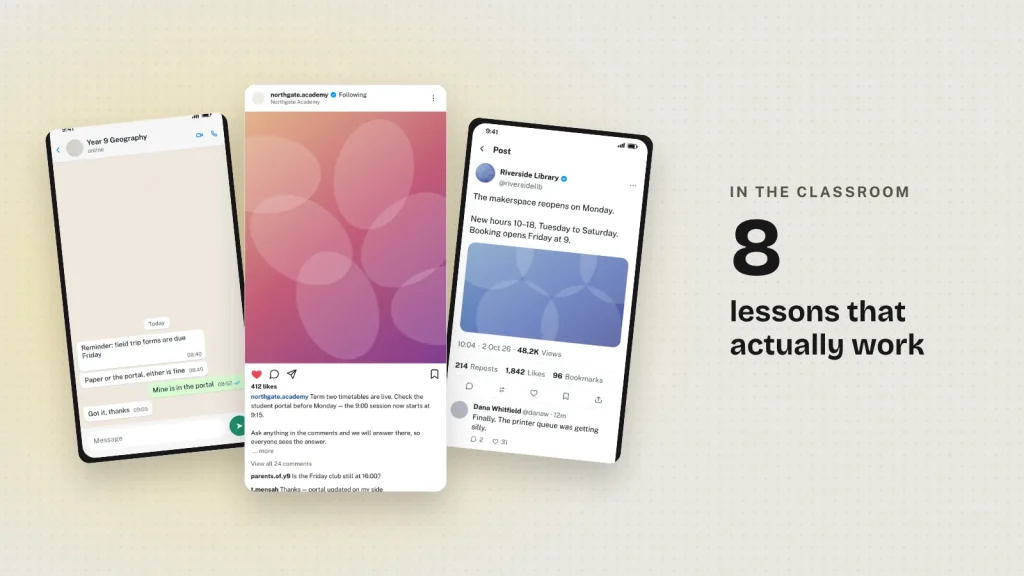
Make the same post twice with the tweet generator — once with the verified tick, once without. Change nothing else. Show both and ask which is more credible, then ask why.
Almost every class picks the ticked one. Then you explain what the badge actually certifies, which on most platforms now is a payment. It is the fastest route to a useful argument about trust signals that I know of.
2. Spot the disclosure
Goal: teach advertising rules without reciting them.
Build a sponsored Instagram post with the paid-partnership label and an identical one without it. Ask which is an advert. Both are. One says so.
Follow with: whose job is it to say? What happens if nobody does? This maps directly onto the rules in most countries without you having to open a regulator’s website.
3. The engagement ladder
Goal: teach scepticism about numbers.
Make three versions of the same claim with wildly different counts — 12 likes, 1,200, 1.2 million. Ask the class which they believe. Then reveal that you typed all three numbers into a text box.
The point lands harder than any explanation of bot farms, because they just watched the number change nothing except their own reaction.
4. Scam recognition
Goal: make the patterns recognisable before they arrive.
Recreate the three messages your students will actually receive, using the WhatsApp or Instagram DM tools: the “hi mum, new number” text, the delivery-fee link, the brand-ambassador offer that asks for a payment.
Build them well. A deliberately bad fake teaches students to spot bad fakes, which is not the skill they need.
5. The screenshot that proves nothing
Goal: teach that a screenshot is not evidence.
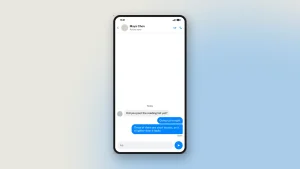
Build a chat mockup, show it, let the class react, then show them the tool you made it in — thirty seconds, no skill required.
This is the single most valuable half-hour in a digital-literacy course, and it is the exercise this whole category of tool is best at. Every chat mockup from Zeoob carries a visible “Not an original screenshot” line precisely because the lesson is real.
6. Context and the missing half
Goal: show how cropping changes meaning.
Build a conversation with a reasonable explanation in the middle. Export it. Then remove the explaining message and export again. Same people, same words, opposite meaning.
7. Write the correction
Goal: move from spotting to responding.
Make a post with a plausible false claim and a Readers added context note underneath. Ask the class to write a better note in under 280 characters, citing something.
It is much harder than it sounds, and students who have tried to write one read community notes differently afterwards.
8. The brand brief
Goal: for business and marketing courses.
Give groups a product and have them mock up a launch across three platforms — a post, a story and a TikTok. Marking is on consistency, caption quality and whether the format suits the platform, not on invented engagement.
This is the exercise that normally requires a live account, a budget and a risk assessment. It requires none of them.
Where these lessons go wrong
Four failure modes worth knowing before you plan around them.
Mockups that are too obviously fake teach the wrong lesson. If your example has an impossible username and 999,999,999 likes, students learn to spot careless fakes rather than careful ones. Make them properly.
Unlabelled examples leak. A student photographs your slide and it is on a group chat by lunch with no context. Label every mockup on the slide itself, not just verbally.
Do not mock up real people the class knows. Not a classmate, not a member of staff, not a local figure. The lesson does not need it and the fallout is entirely avoidable.
Do not invent a quotation from a real public figure and leave it on a screen without the word “mockup” beside it. That is the one use that turns a teaching tool into a problem.
What to tell your IT department
The generators run in the browser. Nothing is posted to any platform, no account is required, and students do not sign in. Images are sent to Zeoob’s server once, when a student presses download, so the file can be watermarked and signed — the privacy policy says exactly what is kept. If your school blocks third-party scripts, the tools still work.
There is more for schools on the teachers page, including what happens to student data.
Common questions
Is it free for schools?
Yes. No sign-up, no licence, no per-seat cost, HD downloads included.
Do students need accounts?
No.
Can students make something harmful with it?
They can make an image. Chat mockups carry a visible watermark that cannot be removed, and every image carries a hidden origin mark the verification tool reads back from the original file. It is not indelible: resizing the image or re-saving it as a JPEG destroys it. Say that to a class on day one, because it is the lesson rather than a caveat to it — provenance marks are real, useful and defeatable, all at once.
Which tool should I start with?
The WhatsApp chat generator for safety lessons, the tweet generator for media literacy.
11 comments
-
Patrick Roach
very informative article.
-
Kendal Boyd
Pretty! This has been a really wonderful article. Being a teacher, it helps a lot.
-
jaygoodman
I just like the helpful information you provide in your articles
-
Chaim Weaver
I just like the helpful information you provide in your articles
-
Parker Robinson
Great information shared.. really enjoyed reading this post thank you author for sharing this post .. appreciated
-
Leandro Turner
There is definately a lot to find out about this subject. I like all the points you made
-
Jakobe Mccoy
I really like reading through a post. Also, thank you for allowing me to comment!
-
Jakobe Villarreal
I truly appreciate your technique of writing a blog. I added it to my bookmark site list and will
-
Gabriel Cameron
I like the efforts you have put in this, regards for all the great content.
-
William
Great sharing, thank you.
-
geniovida
thank you