How to Generate a Facebook Post With Comments and Likes
Build a Facebook post mockup with reactions, shares and a comment thread, then download it in HD. Free, in your browser, nothing published.
On this page
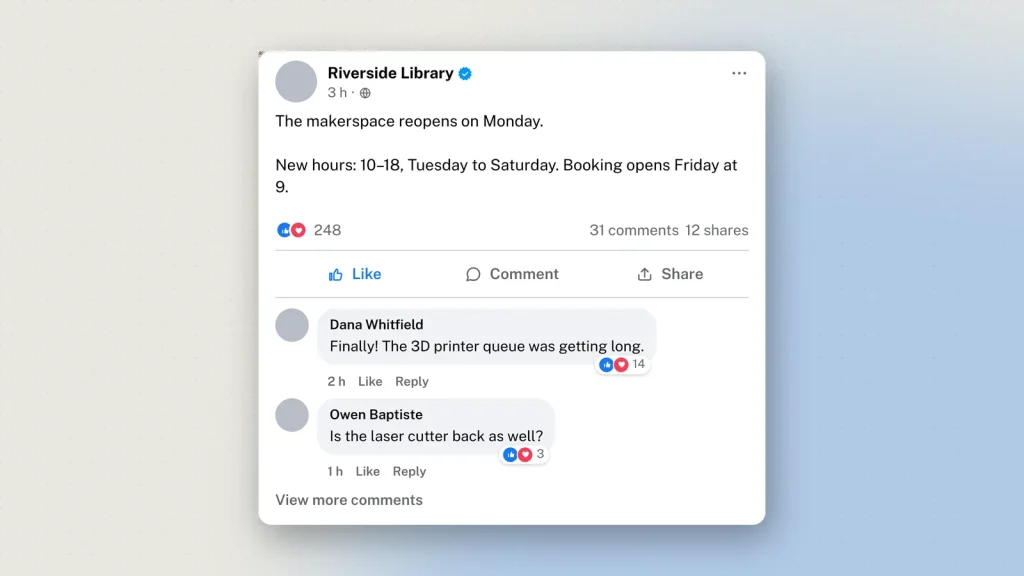
A Facebook post without its comments is half a mockup. The reactions and the thread underneath are where the interesting part usually is — the argument, the correction, the pile-on — and a bare status card teaches nobody anything.
The Facebook post generator builds the whole thing: the post, the reaction row, the counts and up to twenty comments. It runs in your browser, needs no account, and publishes nothing.
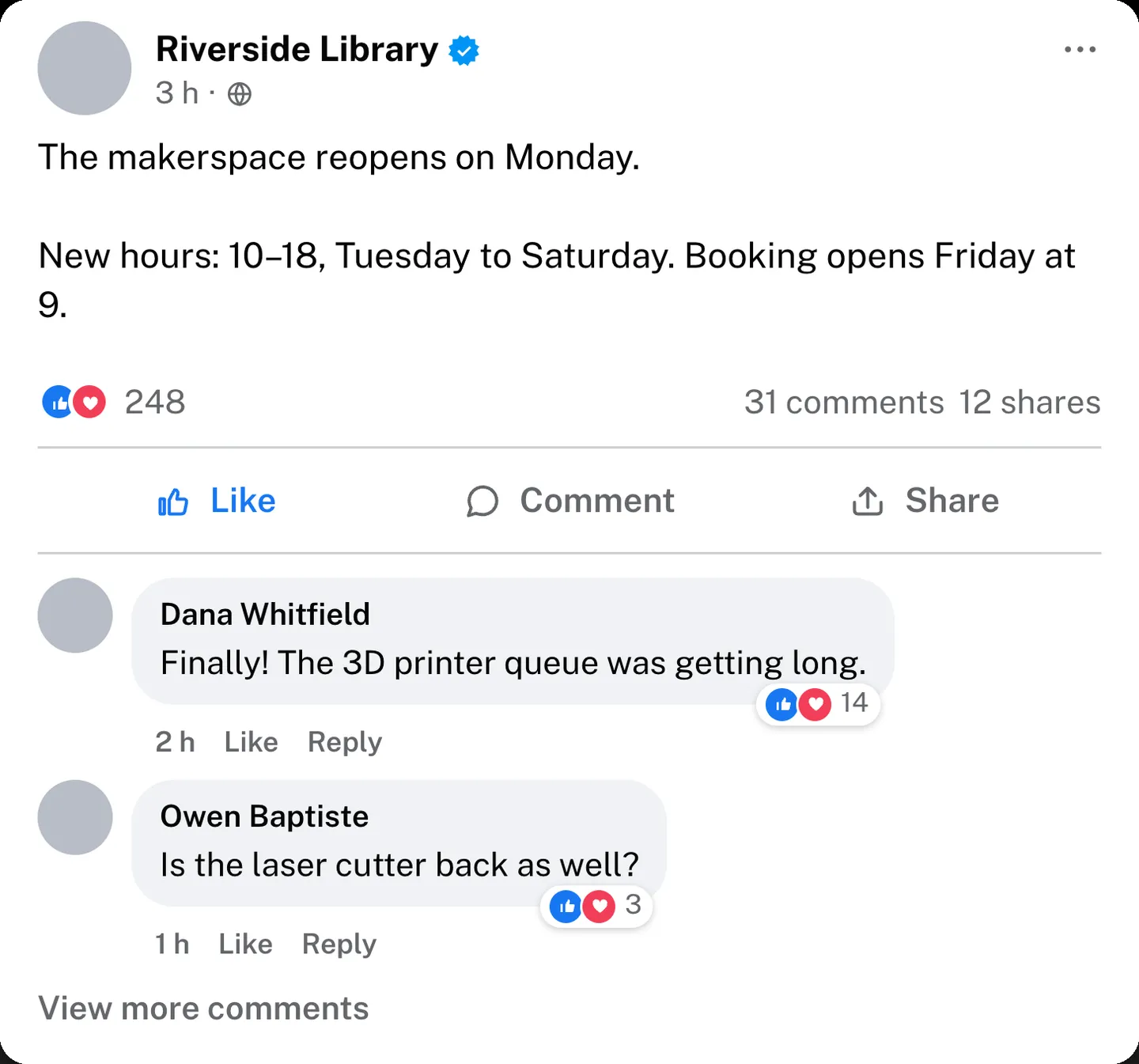
Build the post first
Name, profile picture, and the audience icon beside the timestamp — public, friends, or only me. That last one is small and worth getting right: a post you are presenting as having gone viral cannot be set to Friends.
The status itself takes up to 5,000 characters, with the See more fold appearing where Facebook puts it. Links and @mentions take the app’s own blue.
You can attach one photo, or none. A short text-only status gets the coloured background Facebook uses; a long one goes back to plain white, and the tool follows that rule rather than letting you have a wall of text on a gradient, which is not a thing Facebook does.
Get the reactions right
This is where most Facebook mockups fall down.
Facebook shows the top three reaction icons, not all seven. A post displaying like, love, care, haha, wow, sad and angry all at once is not a post anyone has ever seen — it reads as a key to a legend rather than as engagement.
Pick which icons appear, then set the totals. Reactions, comments and shares are three separate fields:
- Reactions are the big number.
- Comments are usually well behind it.
- Shares are usually well behind comments.
Reversing the last two is the quickest way to lose a sceptical reader. A post with 40 comments and 900 shares is unusual enough that someone will stop and ask about it.
Write the comments
Up to twenty, each with its own name, avatar, text, reaction count and timestamp.
Two things make a thread read as real. First, let one comment have a reply — flat lists of top-level comments look staged, and a single threaded reply changes the shape of the whole block. Second, vary the register: a short agreement, a long disagreement, one person who has clearly not read the post. That is what a real thread looks like.
Timestamps
Facebook writes “6 h” and “2 October at 10:04”. It does not write “2 hours ago”. Small detail, free to get right.
Light and dark
Both, using Facebook’s own surface, text and divider colours rather than a grey approximation. Dark tends to photograph better on a projector.
Downloading
Tick the responsible-use box, choose 2×, 3× or 4×, and press Generate. PNG, with a PDF option beside it. 3× for slides, 4× for anything printed.
Feed posts do not carry the visible “Not an original screenshot” watermark — that is reserved for the chat tools, where the risk of a mockup being passed off as evidence is highest. Every image still carries a hidden origin mark that the verification tool reads from the original file.
What it gets used for
- Misinformation teaching. A shareable claim with its engagement numbers, used to ask why something spreads rather than whether it is true.
- Moderation training. A difficult comment thread for new community managers to practise on, without using a real member’s words.
- Scam awareness. The marketplace message, the fake giveaway, the cloned-profile post.
- Campaign pitches. Proposed posts in context, with plausible engagement, before anything goes live.
- Product design. A placeholder social post inside an interface mockup.
Common questions
Is it free?
Yes, with no sign-up. Comments, reactions and HD downloads all work as a guest.
How many comments can I add?
Up to twenty, each with its own avatar, name, text, reaction count and time.
Can I set the reaction, comment and share counts separately?
Yes, all three independently, as free text — so 7 and 12K both work.
Can I make a text-only status?
Yes, with or without the coloured background Facebook uses for short ones.
Is there a dark mode?
Yes, with Facebook’s own dark colours.
Does anything get posted to Facebook?
No. Nothing you build is sent to Facebook or anywhere else. Downloading sends the finished image to us once so it can be signed, and we keep a record — see the privacy policy.
What about Messenger?
A private conversation is a different format: the Messenger chat generator builds those, with reactions, seen receipts and chat colours.
Label what you make as a mockup wherever it goes — see responsible use.
20 comments
-
Emily
Olaaa
-
Tolly
Haloo u got that
-
Tolly
Haloo u got that odad a aoda o awattvv
-
Tony Coombes
Nice tool, but need some more work to do.
-
Peaches Git
Good Afternoon, I am having issue, i lost my older fake posts on zeoob. How can i recover it?
-
UK Vape
The best facebook post generator
-
Isis
Hey, can anyone help me, i had generated my fakes long time ago, where can i find it?
-
Norine
Your web site has superb mockup generators. I bookmarked the site
-
Odessa
Oh finally i got post with comments generator.
-
Normand
Great work
-
Rory
Its very cool and very similar to latest updates of facebook post. Best fb post generator (y)
-
Kristine
Could you inform me what style are you making use of on your site?
It looks great.
-
Rex em
Your website has excellent fake generators collection. I bookmarked the website
-
deanacramsie
I found your web site from Google and also I need to state it was
a terrific locate. Many thanks! -
Faustino
Could you tell me what theme are you using on your site?
It looks wonderful. -
uzecemece
Hey i am using this tool since long time ago, i just want to mention, its really the bes insta generator
-
efoceamewivuo
Pretty
-
mehyexumoqiv
Well very well. Its cool its best
-
dimakashin51726
Burrah, its pretty nice tool