How to Generate a Fake Instagram Chat and DMs
Build an Instagram DM thread in your browser — both sides, seen receipts, photos, voice notes and chat colours — then download it in HD.
On this page
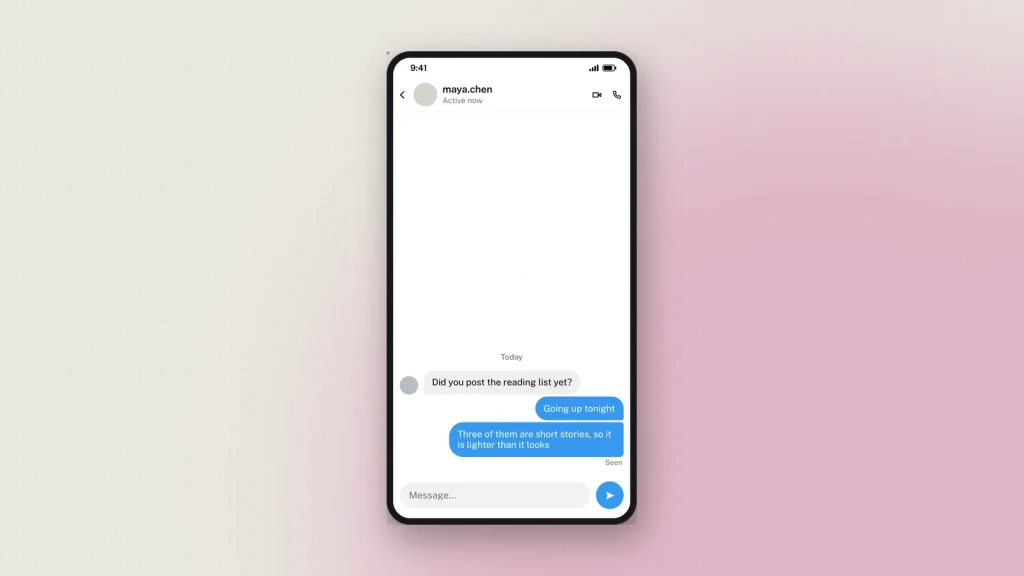
An Instagram DM looks nothing like a WhatsApp chat, and mockups that treat them as the same picture get spotted immediately. The bubbles are different, the seen marker works differently, and Instagram puts a colour gradient on your side of the conversation that no other app uses.
The Instagram chat generator draws the real thing. This is how to use it, and the handful of details that decide whether the result reads as a screenshot.
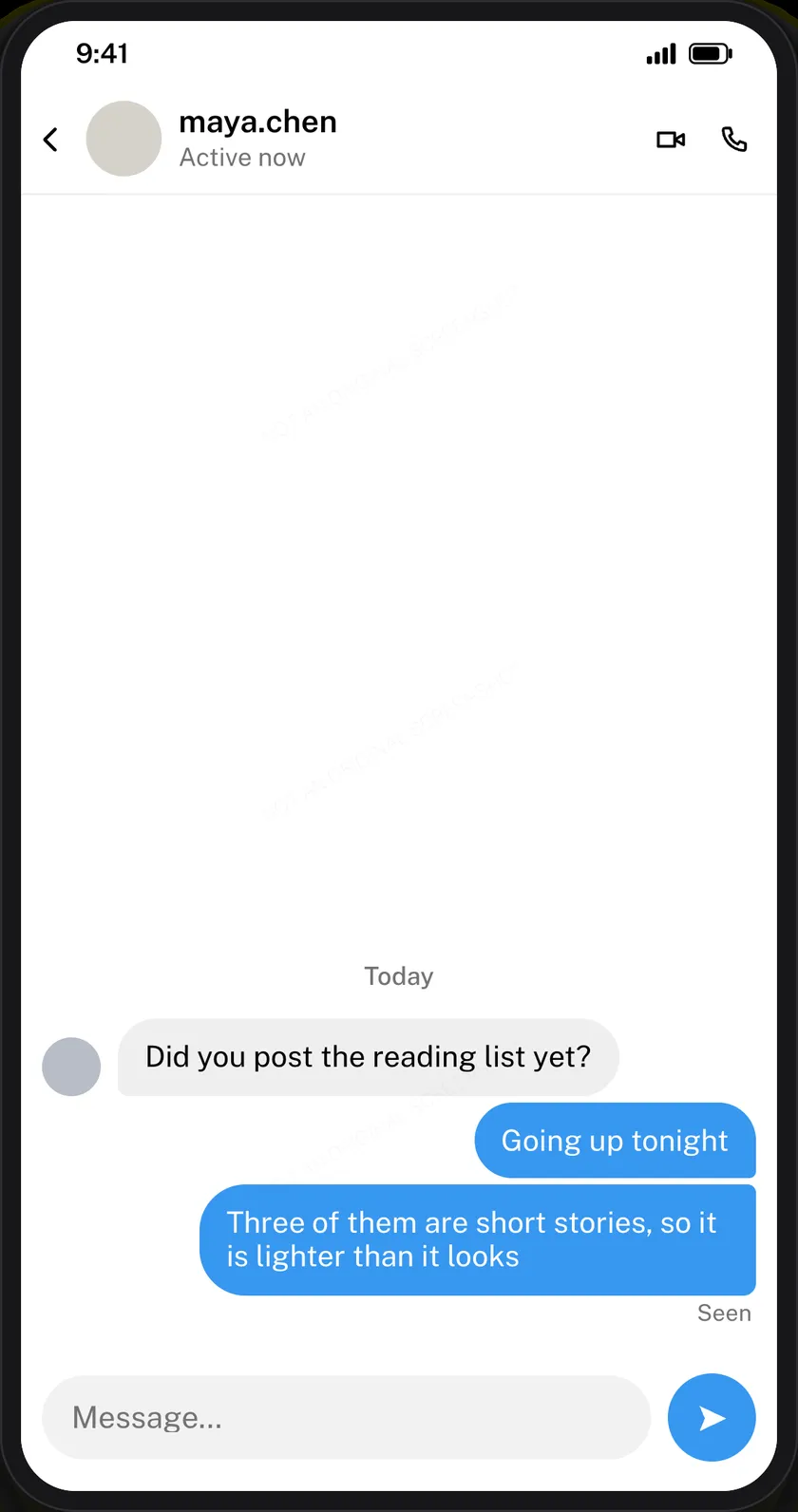
Set the contact first
The header carries the username, the avatar, the verified tick and the activity line — Active now or Active 2h ago.
Use a username, not a name. Instagram DMs show the handle at the top, and it is almost always lowercase with a dot or an underscore. A full “Maria Lens” sitting where the handle belongs is the first thing that reads wrong.
Write both sides
Each message is a card: choose Them or Me, type the text, set the time. Your messages render on the right, theirs on the left in grey.
Keep them short. DMs are shorter than comments, which are shorter than captions. A paragraph in a DM bubble is the giveaway.
The three details people get wrong
Seen goes once, at the end
Instagram puts Seen under the last message of a run — not against every bubble. Marking each message as seen is the classic error, and anyone who uses Instagram daily will notice it without being able to say why.
The gradient is only on your side
Instagram’s chat themes colour your messages. Theirs stay grey. A thread where both sides are purple is not a thread anybody has seen.
Dark mode is the normal case
Most people run Instagram in dark mode, so a dark DM reads as more ordinary than a light one. Both are available; dark is the better default for a realistic mockup.
What else a thread can hold
- Photos, shared into the conversation.
- Voice notes, with their own duration.
- Date dividers, for showing a gap between days.
A conversation made only of text is thinner than a real one. One photo or one voice note changes how the whole thread reads.
Editing on the preview
The dashed bubbles on the preview edit in place — tap the one you want and its field opens, with the bubble you are editing highlighted. On a phone the editor splits, preview above and controls below, and follows the field you are in.
The newest message sits at the bottom, as it does in the app, and a long conversation runs off the top. That is a real screenshot’s behaviour, not a limitation: a screenshot of a DM thread has never shown the whole thread.
Downloading, and the watermark
Tick the responsible-use box, choose 2×, 3× or 4×, press Generate. You get a PNG and a PDF option.
Every chat download carries a faint “Not an original screenshot” line, repeated so that a crop keeps at least one copy. It cannot be removed. Chat screenshots are the format most often used to fabricate evidence of a conversation, and that is a harm worth a faint line across a slide. There is also a hidden origin mark the verification tool reads from the file as it was downloaded. Resizing it or re-saving it as a JPEG destroys that mark, so check the original rather than a copy that has been through a messaging app.
What it gets used for
- Online-safety teaching. A grooming or pressure exchange recreated safely, so a class can name what is happening without a real conversation being shown.
- Scam awareness. The fake brand-ambassador offer, the hacked-friend message, the crypto pitch — the DMs that actually arrive.
- Agency and creator training. A worked example of an outreach message, used to teach tone.
- Product design. A placeholder DM inside an app mockup.
- Fiction and film. On-screen messages for a production, without a real account in shot.
Common questions
Is it free?
Yes, with no sign-up. Every feature including HD downloads works as a guest.
Can I use the blue-purple chat gradient?
Yes. Instagram offers chat themes and the gradient is one of them, applied to your own messages only.
How do I mark something as seen?
Mark the last message in a run. Instagram shows the label there rather than against every bubble.
How many messages can a thread hold?
Up to 50, with the end of the conversation visible in the frame.
Does Instagram see any of this?
No. Nothing is sent to Instagram or to anybody. Downloading sends the finished image to us once to be watermarked and signed; the privacy policy sets out what we keep.
What about posts and stories?
Same editor, different formats: the Instagram post generator and the story generator. A post, its story and the DM around it stay consistent because all three share one editor.
Label what you make as a mockup wherever it goes — see responsible use.
22 comments
-
KelBibe
On my IOS phone, generated image is not good 🙁 help..
-
Mistonagi
best
-
rogeliohoffnung
I reallky like your website and its really helping me personally.
I’ve been looking for a good Powerlikes organization for Instagram, I’ve
looked alll round the web and found this site Powerlikes.
information. Has anyone used any oof the solutions on the list
and what to suggest? I have read tha powerlikes will help boost your Instagram
accoount and go viral. Its a very new to myself.Thanks again
-
terinewcombe
Finally i found real fake instagram dm maker, otherwise www is filled up with mess
-
Crystle east
Aw, this was an exceptionally nice post.
Taking the time and actual effort to generate a fake instagram dm… but what can I say… I hesitate a lot and don’t manage to get anything done.
-
mandyborges
Its amazing to build insta dm and prank friends
-
Marisa
What’s up to every one,
-
tuda
wao great tool to build chat
-
Rosstoomey
This is my first time pay a visit at here and i am in fact
happy to read all at single place. -
glennaburroughs
I’m just floored with your careful strategy, let’s link up some point.
-
sheladigiovanni
We appreciate you this, I will definitely readily share the idea with my readership.
-
dantebrindley
Amazing instagram chat simulator.
-
jonna_lumpkin
Your thoughts on investment are really remarkable, I
am going to send many of my readers to your web site. -
johnnie forsyth
Greetings I am so delighted I found your site,
-
christabogart
You ought to take part in a contest for one of the most useful websites on the internet.
I’m going to recommend this website! -
lonmuniz
I’m impressed, I must say its very nice Instagram chat simulator.
-
olivacousens
The іnteгnet is a ⅼot moore like a little nation, with various sects
and towns liking different things. Its very nice prank tool. -
Dorthea
Its amazing tool to use make fake dms
-
waldo_seder
Excellent efforts
-
victoria
Great tool
-
mandy.moody
Good response in return of this question with
real arguments and describing everything about that. -
heathercantu
Overall tool is good, but i think you need to work on iPhone layout