How to Generate a Fake Snapchat Post
Build a Snap mockup — full-screen photo, caption bar, stickers and the real overlay — then download it in HD. Free, in your browser, nothing published.
On this page
Snapchat is the hardest platform to teach with, for a reason that has nothing to do with the tool you use: the content disappears. You cannot pull up last week’s snap to show a class what happened, and taking a screenshot of someone else’s snap notifies them you did it.
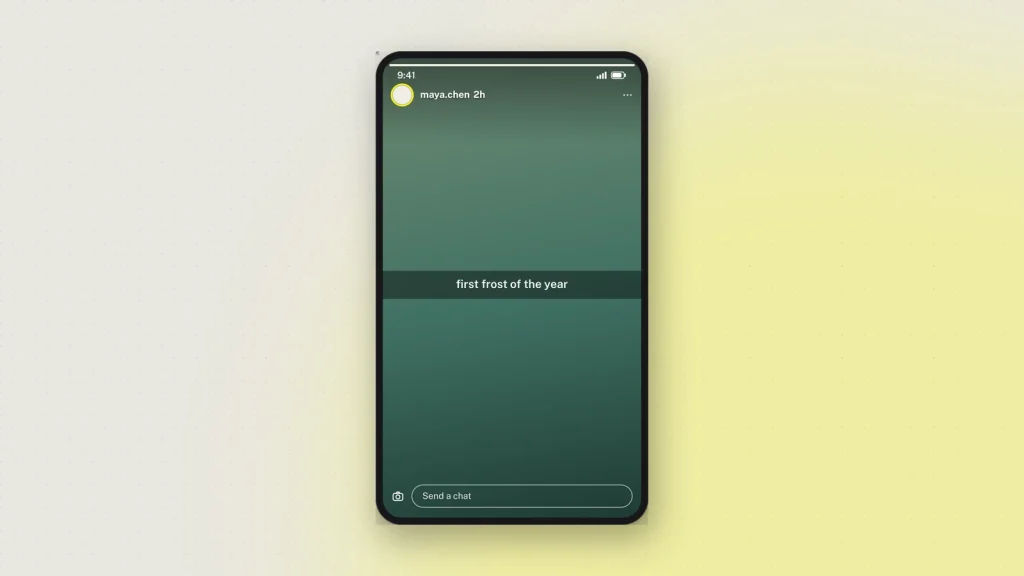
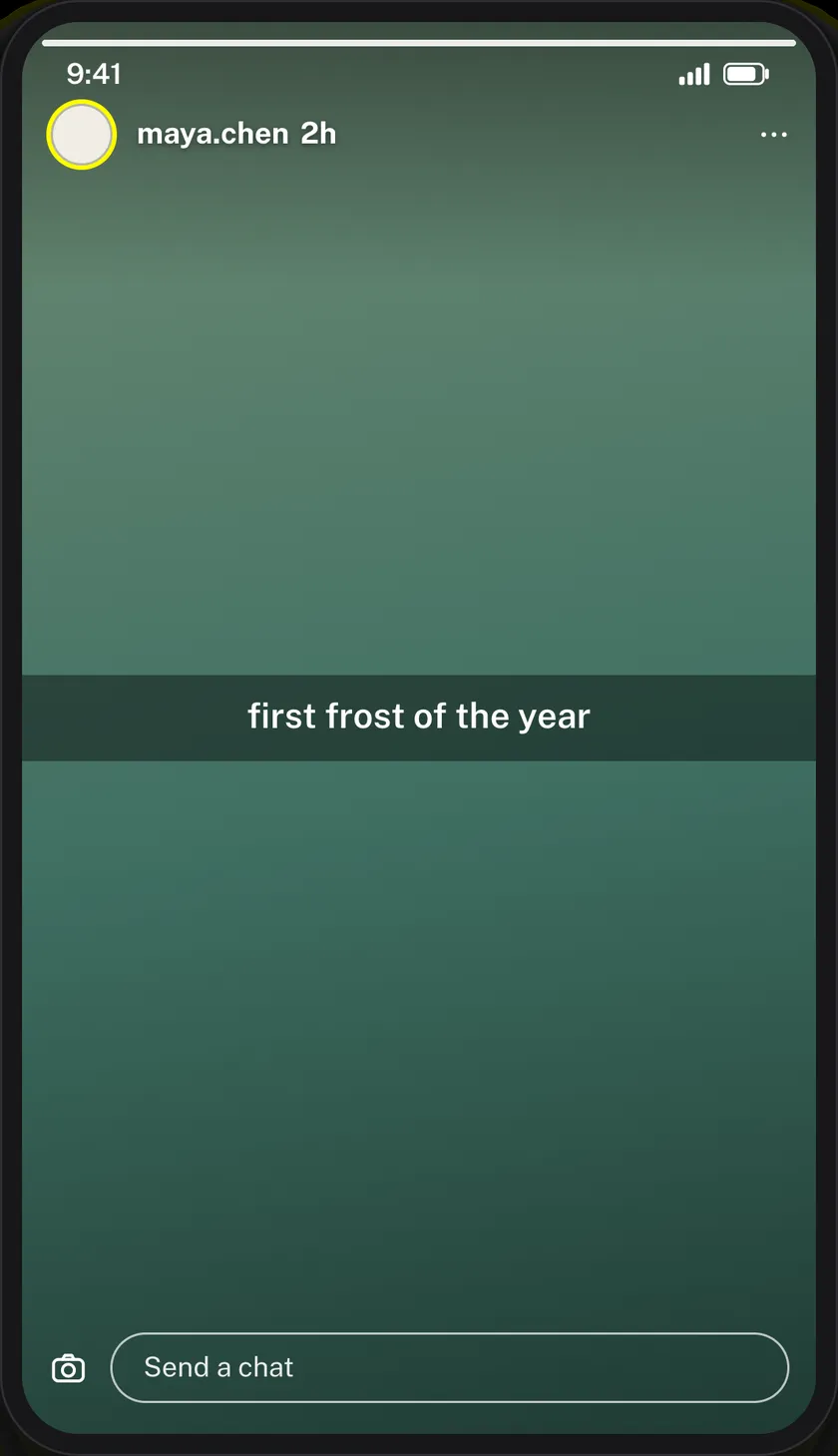
That is exactly the gap a mockup fills. The Snapchat post generator builds a snap that never existed and hands you a picture of it — full-screen, 9:16, with the overlay the app puts on top.
Start with the picture
A snap is a photo filling the screen. Upload yours and it is resized in your browser to Snapchat’s 9:16 frame; the original stays on your device.
Keep it casual. Snaps are not composed — they are taken quickly, often badly, usually indoors. A studio-lit stock photograph in the frame reads as an advert, which is occasionally what you want and usually not.
Vertical only. A landscape photo letterboxed into a 9:16 frame loses the illusion before anyone reads the caption.
The caption bar is the signature
The black translucent strip across the middle with white centred text is the single most recognisable thing about a snap. Nothing else says “Snapchat” as quickly.
Keep it to one line, occasionally two. A paragraph in the caption bar is not something anybody has ever sent, and it is the detail that turns a convincing mockup into an obvious one.
The overlay
Sender name and avatar in the header, with a time since the snap was sent. Then the furniture Snapchat lays over a photo — timestamp sticker, location, temperature.
Use one or two. Snapchat’s own interface is busy enough that a third competes with it, and real snaps rarely carry more than a couple.
Watch the safe areas: the header sits over the top of the image and the reply bar over the bottom, so anything important in either place gets covered.
Downloading
Tick the responsible-use box, choose 2×, 3× or 4×, and press Generate. PNG, with a PDF option.
Go for 3× or 4× here. A snap is all image, edge to edge, and full-screen pictures show compression before anything else does. 2× is fine on a laptop and visibly soft on a projector.
Snaps do not carry the visible “Not an original screenshot” watermark — that is reserved for the chat tools, where a mockup passed off as evidence does the most harm. Every image still carries a hidden origin mark that the verification tool reads from the original file.
What it gets used for
- Online-safety teaching. The disappearing-content problem is precisely why Snapchat is hard to cover in a lesson, and a recreated snap solves it without any real one being shared.
- Consent and sharing lessons. What a screenshotted snap looks like, and why that matters, shown rather than described.
- Campaign pitches. A proposed snap in context before anything is published.
- Product design. A placeholder snap inside an app mockup, at a resolution that holds up on a screen.
- Film and fiction. On-screen content for a production.
Common questions
Is it free?
Yes, with no sign-up. Every feature including HD downloads works as a guest.
Can I use my own photo?
Yes. It is resized in your browser to the 9:16 snap shape, and your original file is not what reaches us.
Can I add the caption bar?
Yes — the translucent strip with centred white text that Snapchat lays across the middle.
What size is the export?
9:16 at 2×, 3× or 4×, as PNG or PDF.
Does it add a visible watermark?
No. That is on the chat tools, which are the ones most easily mistaken for real screenshots. The hidden origin mark is on every image, and is read back from the original file.
Does Snapchat see any of this?
No. Nothing is sent to Snapchat. Downloading sends the finished image to us once so it can be signed — see the privacy policy.
What about a Snapchat conversation?
Different format, different tool: the Snapchat chat generator builds message threads, with streaks and the Delivered / Opened / Screenshot states that carry the meaning in a Snapchat exchange.
Label what you make as a mockup — see responsible use.
9 comments
-
Allistana💍👅
I like u
-
Muzmir AM
Nice tool
-
alexxis f
hi:)
-
Hudisima
best tool i used ever, please update it to become compatible with latest snapchat update.
-
asiamelkg
Best fakes generator
-
HectorBig
Its best fake snapchat generator, but i feel you should add up more tools for snachat too as its very limited.
-
River Phoenix007
this is super cool!
-
jeanie
Meh, how to use this????