What Is a Fake Tweet Generator? And How to Use One Properly
A fake tweet generator builds a picture of a post that was never published. What it is for, how to make one that holds up, and where the line sits.

On this page
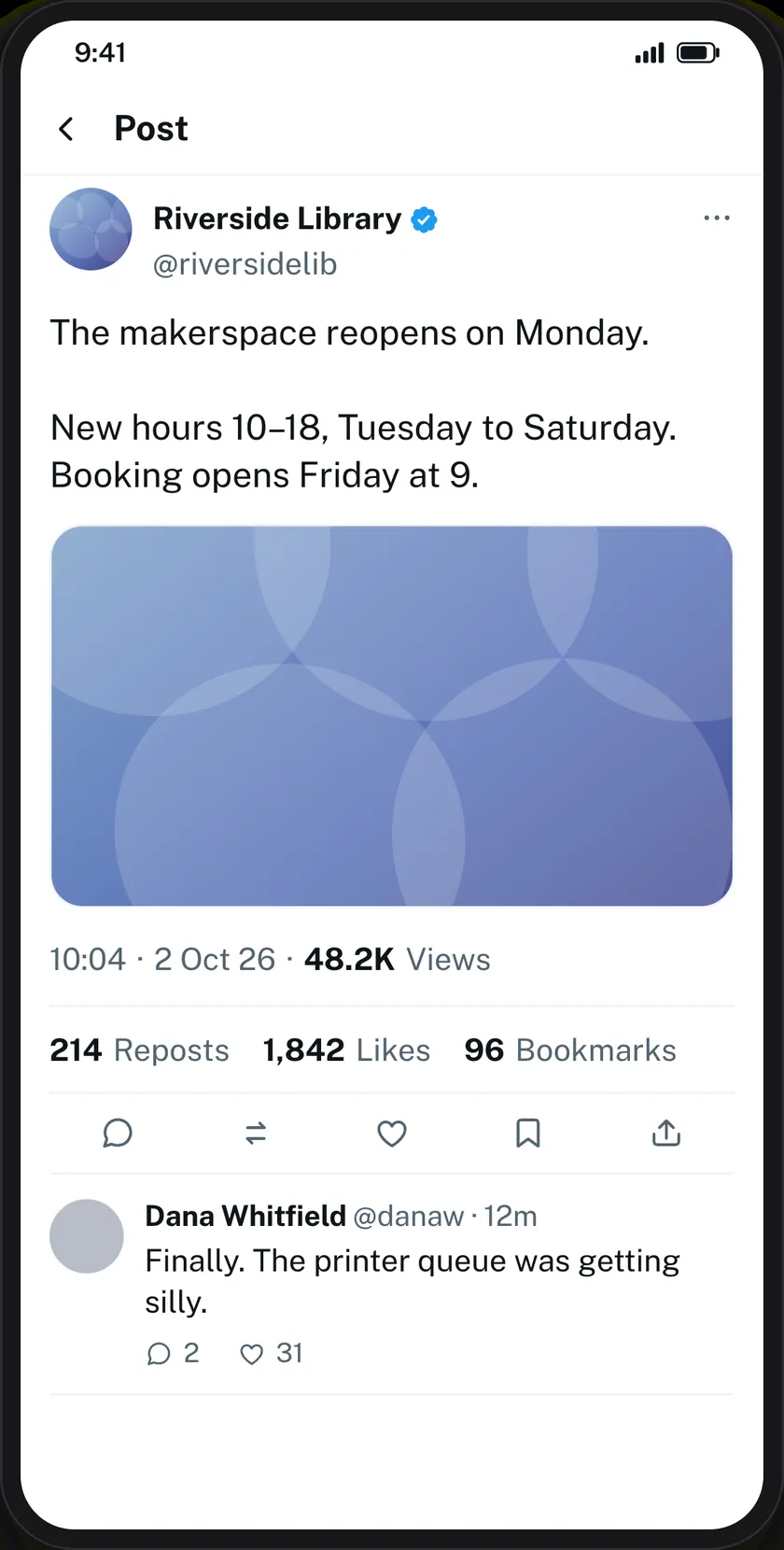
A fake tweet generator makes a picture of a post that nobody ever published. You set the name, the handle, the text and the numbers; it draws the result exactly as X would; you download it as an image. Nothing is posted, no account is involved, and the file is the whole output.
People reach for one because the alternative is worse. Screenshotting a real post means borrowing a real person’s words and face. Mocking one up in a design tool means an afternoon spent on the icon spacing. A generator gets you a picture that looks right in about two minutes.
What it is not
It does not post anything. It cannot make a tweet appear on X, it cannot delete one, and it has no connection to anybody’s account. The word “generator” misleads people into expecting more than an image — the output is an image, and that is the point.
It is also not a forgery tool, and the useful versions make that hard on purpose. Every image Zeoob produces carries a hidden origin mark, and the verification tool reads it back from an original file — resizing or re-encoding the image destroys it, so the mark is a help rather than a guarantee. The stronger protection is that a mockup has no real account in it, which a screenshot of somebody’s real post always does.
What goes into a convincing one
Most generators give you a name and some text. The details below are what separate a mockup that survives a sceptical reader from one that does not, and the fake tweet generator exposes all of them.
The handle has to match the name
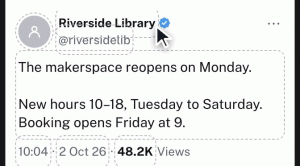
A display name of “Riverside Library” with a handle of @user12345 is wrong before anyone has read the post. Real accounts have handles that look like their names: @riversidelib. This is the first thing people notice and the easiest thing to fix.
The verified tick is a decision, not a default
It is a switch next to the name. Turning it on changes what the post claims about itself, which is often exactly the lesson — the same text from a ticked account and an unticked one is one of the sharpest media-literacy exercises there is.
The numbers have a ladder
On X, views run far ahead of likes, likes ahead of reposts, reposts ahead of quotes. Break that order and someone will spot it. A post with 40 likes and 9,000 reposts is not a post anyone has seen.
All five counts are free text, so 11 and 11M are both fine.
The posted-from line does more than it should
“X for iPhone” or “X for Android” under the timestamp is a small, optional field that carries a surprising amount of weight. It is the detail people check when they are arguing about whether a screenshot is genuine.
Theme changes the register
Light, dim and dark are the three X itself offers. Dim is the one to use in a slide deck: dark is heavy under a projector and light blows out in a bright room.
Replies and context notes
A single post is rarely the interesting artefact. You can add up to twenty replies, each with its own name, handle, avatar, tick, time and counts, and chain them so one answers the one above it.
Let the replies disagree. A thread where everybody agrees is a poster. One sceptical reply makes the whole thing useful for teaching.
There is also a Readers added context box — the community-note panel X puts under posts it has labelled. If your lesson is about how platforms correct misleading claims, that box is the lesson.
How long can the text be?
X allows 280 characters on a free account and far more on a paid one. The tool takes up to 2,000, so a long post or a full teaching example fits without being cut off at a limit that only applies to half of X’s users.
Who actually uses this
- Teachers. Media literacy, misinformation and source-checking lessons, where a real example would mean putting a real person’s name on the board.
- Trainers. Crisis-communications rehearsals: a draft statement as it would look posted, with replies, before anybody decides whether to post it.
- Designers. A placeholder post inside an app screenshot or a pitch deck, at a resolution that survives a projector.
- Writers and film-makers. On-screen posts for a production, without a real account appearing in shot.
- Support teams. A worked example in a help article that will not break the day the real post is deleted.
Getting it out
Tick the responsible-use box, choose 2×, 3× or 4×, and press Generate. You get a PNG, with a PDF button beside it. 2× is fine on screen, 3× for slides, 4× for anything printed.
The part that matters
Label it. Every legitimate use of a tool like this — teaching, training, design, documentation, obvious parody — works just as well when the image is labelled as a mockup. The only use that needs it unlabelled is the one nobody should be making.
Our responsible use page sets out what we ask, and the terms set out what is not allowed. Every download asks you to confirm you have read them, which is deliberate friction rather than a formality.
Common questions
Is it free?
Yes, with no sign-up. The verified tick and HD downloads work as a guest.
Can I add the blue tick?
Yes — a switch beside the display name, drawing the badge X currently uses.
Does it work on a phone?
Yes. The editor has its own phone layout: preview on top, controls below, following whichever field you are editing.
Is there a desktop version of the layout?
Yes. The PC version draws X’s wide web layout rather than the phone one, which fits a 16:9 slide without empty columns either side.
What about direct messages?
Those are a different format — the Twitter DM generator builds a direct-message thread with both sides, timestamps and seen receipts.
Is my post uploaded anywhere?
Nothing is sent while you work. Downloading sends the finished image to us once so it can be signed, and we keep a record. Nothing is ever sent to X. See the privacy policy.
1 comment
-
Sebestyen
Simply wanna comment on few general things, The website design is perfect, the subject matter is rattling wonderful : D.