What Is a Fake WhatsApp Chat Generator? A Practical Guide
What a WhatsApp chat generator does, the details that make a mockup believable, and why every chat download here carries a visible watermark.
On this page
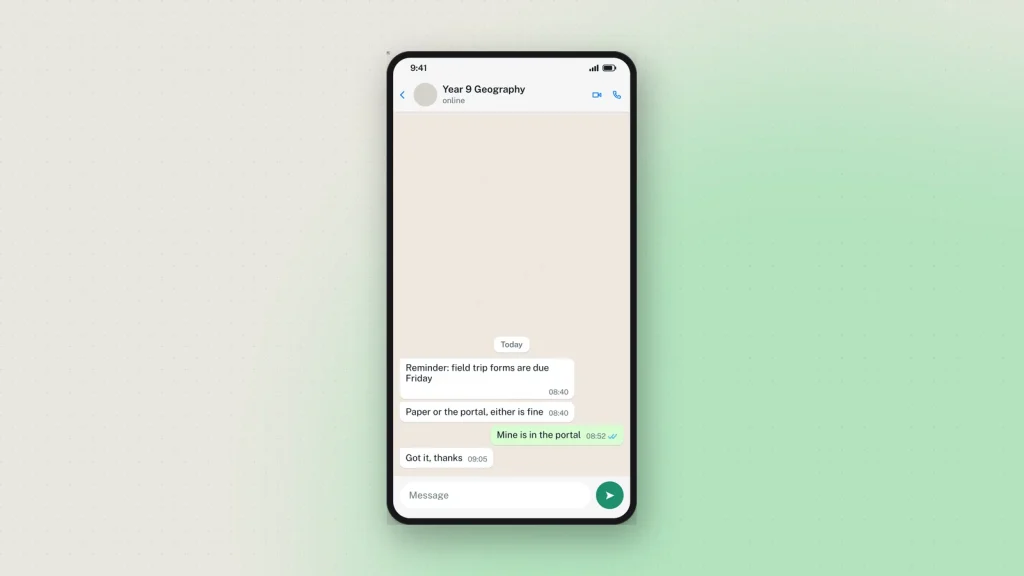
A fake WhatsApp chat generator draws a conversation that never happened and hands you a picture of it. You write both sides, set the times and the read ticks, pick iPhone or Android, and download the result. No phone is involved, no number, no account, and nothing is sent to WhatsApp.
Of all the mockups people make, chat is the one that gets mistaken for a real screenshot most often — which is why the WhatsApp chat generator treats it differently from a post, and why this guide spends as long on the limits as on the features.
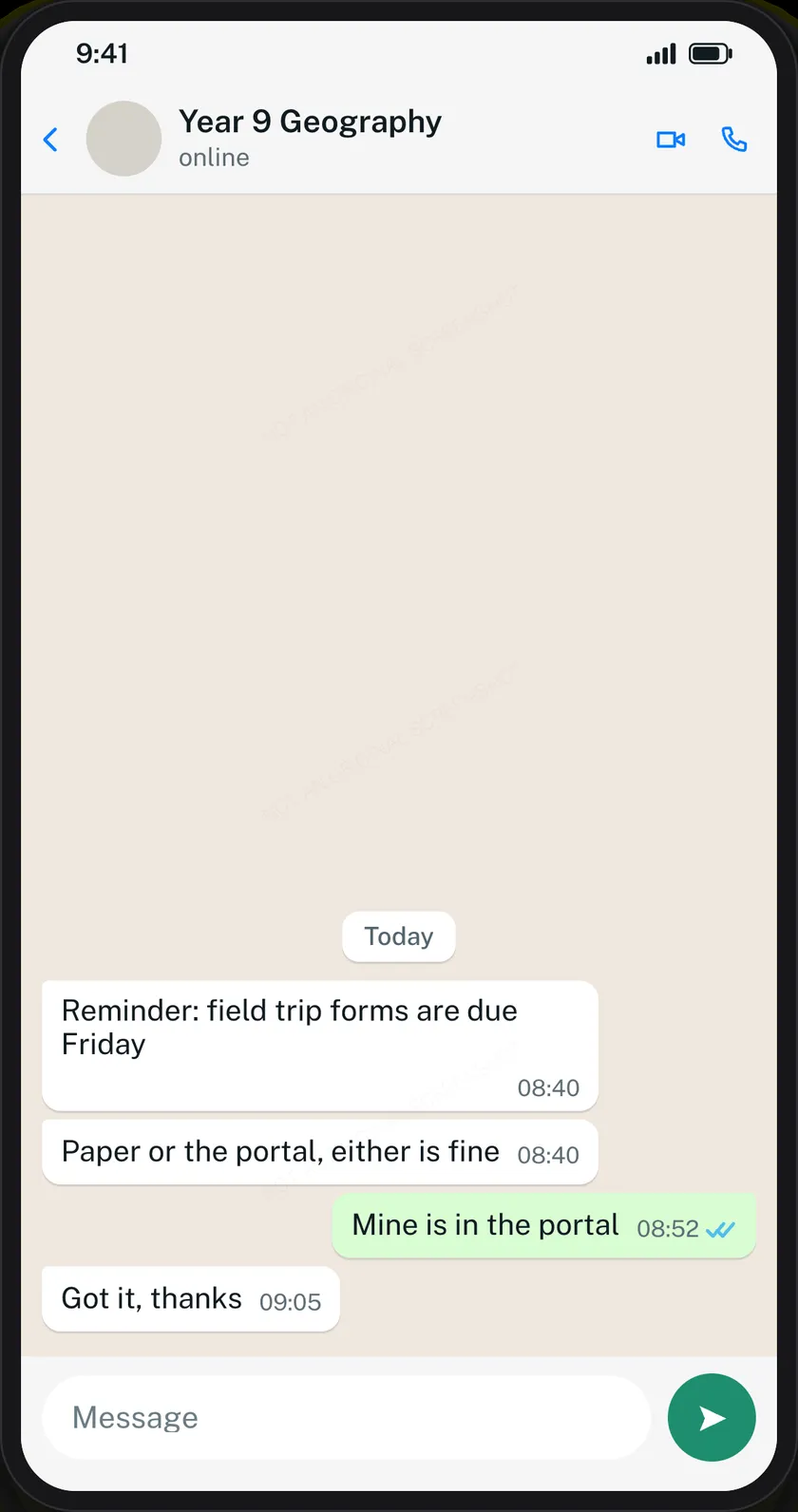
iPhone and Android are not the same picture
This is the switch most people skip and most people should not. The two platforms differ in the bubble shape, the header layout, the position of the timestamp, the colour of the read ticks and the shape of the message bar. Pick the wrong one for your audience and every screenshot in your lesson is subtly off to the half of the room that uses the other phone.
If you are teaching a class that is mostly on Android, an iPhone mockup is a small distraction repeated on every slide.
The ticks carry the story
WhatsApp’s delivery states are the most information-dense thing on the screen, and they are per message:
- One grey tick — sent, not delivered. The other phone is off, or has no signal.
- Two grey ticks — delivered, not read.
- Two blue ticks — read.
A thread where someone has clearly read a message and not replied is a completely different exchange from one where the message never arrived. If your mockup is about being ignored, or about not being reachable, the ticks are the lesson and everything else is scenery.
What else a real thread has
Messages come in five kinds, and a conversation made only of text bubbles looks thin:
- Photos, with their own caption.
- Voice notes, with a duration you set.
- Calls — answered and missed, which say a lot in one row.
- Date dividers, which is how you show a three-day gap without writing “three days later”.
- Text, kept short. Real chat messages are short. A paragraph in a bubble is the clearest sign something was written for a slide.
The contact’s status line matters too: online, typing…, or a last-seen time. “Typing…” at the bottom of a tense exchange does more work than another bubble would.
Keep the clock going forwards
The single most common mistake in a hand-made chat mockup is a reply timestamped before the message it answers. Nobody sets out to do it; it happens when you add a message in the middle and forget the times. Read the thread top to bottom once before you export.
Why your download has a watermark on it
Every chat mockup from Zeoob carries a faint “Not an original screenshot” line across it, repeated diagonally so that cropping keeps at least one copy. It cannot be switched off.
That is a deliberate trade. Chat screenshots are the format most often used to fabricate evidence — of a conversation, an admission, a threat — and the harm from one convincing fake is larger than the inconvenience of a faint line across a teaching slide. Posts and stories do not carry it; chat tools do.
Separately, and invisibly, every image carries a hidden origin mark the verification tool reads from the file as it was downloaded. Resizing it or re-saving it as a JPEG destroys that mark, so check the original rather than a copy that has been through a messaging app.
How much fits
The preview is one phone screen, and a long conversation runs off the top exactly as it does in a real screenshot. That is the format behaving correctly rather than a limitation: a screenshot of a chat has never shown the whole chat. Build the part you want to show, and remember the last nine or ten messages are what will be visible.
What people build with it
- Online-safety lessons. A grooming or pressure exchange, shown safely, with no real child’s messages involved, so a class can name the tactics being used.
- Scam awareness. The delivery-fee text, the “hi mum” message from an unknown number, the fake bank warning — recreated so people recognise them before they arrive.
- Support training. A worked example of a business reply, used to teach tone and timing to new staff.
- Product design. A placeholder conversation inside an app mockup, at a resolution that holds up in a pitch.
- Film and fiction. On-screen messages for a production, where a real screenshot would leak a real number.
Exporting
Tick the responsible-use box, choose 2×, 3× or 4×, and press Generate. PNG, with a PDF option. 3× is the right choice for a projector; 4× for print.
Common questions
Is it free?
Yes, with no sign-up. Every feature including HD downloads works as a guest.
Can I set blue read ticks?
Yes, per message — so one message can be read and the next one undelivered in the same thread.
Is there a dark mode?
Yes, using WhatsApp’s own dark wallpaper and bubble colours.
How many messages can I add?
Up to 50. The preview shows one phone screen, so the end of the conversation is what appears.
Can I remove the watermark?
No. It is applied on our server after you press Generate, for the reason set out above.
Does WhatsApp see any of this?
No. Nothing you write is sent to WhatsApp, to a phone number, or to anyone. See the privacy policy for what happens when you download.
What about iPhone messages rather than WhatsApp?
Different app, different tool — the iPhone text message generator draws iMessage on an iOS frame, including the blue-versus-green distinction.