9:41
Post
·
Views
Readers added context they thought people might want to know
Nothing saved yet. Your work is kept in this browser as you go.
X / Twitter
TikTok
More tools
Make a realistic X (Twitter) post mockup in your browser. Set the name, handle, text, counts and replies, add a context note, switch light, dim or dark, preview it live, then download a PNG. Free, no sign-up.
Replies
1 / 20Shown under the post in this order. Dashed text on the preview edits in place.
Maximum reached: 20. Remove one to add another.
Readers added context they thought people might want to know
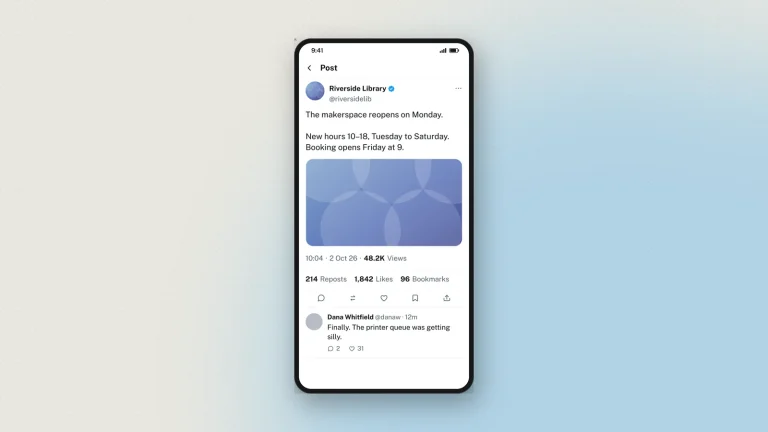
A fake tweet generator — or fake tweet maker — is a tool that draws a picture of an X (Twitter) post that was never published. You set the display name, the handle, the post text, the counts and the theme, and it renders them with the exact type, spacing and colours X itself uses, down to the verified tick and the grey "via X for iPhone" line. The result is an image you download in HD — a tweet mockup that looks like a real screenshot. Nothing is posted, no X account is touched, and your photos never leave your browser.
Zeoob's fake tweet generator goes further than a plain name-and-text box: you get real reply threads, a working poll, the Readers-added-context community note, light, dim and dark themes, and up to four images in X's own grid — the parts of a real tweet that actually carry the meaning. People reach for it when they need a post to point at and the real thing won't do: a teacher building a media-literacy lesson without linking to a live account, a comms team seeing how a statement reads before it goes out, or a designer filling a screenshot with a post that belongs to nobody.
The fake tweet generator runs in your browser, so there is nothing to install and no account to make. Pick a template or start blank, then edit everything on the live preview.
Everything is edited on the preview itself: the dashed areas are the editable ones, and tapping one opens its field. Nothing is sent anywhere while you work.
A tweet is the shortest route into a media-literacy lesson, because the thing on the screen looks exactly like the thing students scroll past all day.
Hand students the tool and the lesson lands harder: making a convincing fake takes about a minute, and discovering that is the point.
A tweet mockup is believable or it is a distraction. These are the details that decide which. They are cues for building a convincing mockup, not a test for spotting a real fake — neat punctuation, tidy ratios and a sensible handle prove nothing about whether a post was ever published.
Label the result as a mockup wherever you publish it. Every image made here carries a hidden origin mark, and the verification tool reads it back from the original file.
Things people build with this tweet mockup maker, and why.
If you want the wide desktop layout instead of the phone one, the PC version is the same tool on an X web-app frame.
Yes, and there is no sign-up. Every feature, including the verified tick and HD downloads, works as a guest.
Yes. It is a switch next to the display name, and it draws the badge X currently uses.
Up to 2,000. X's free limit is 280 and its paid limit is far higher, so the tool takes whichever length your example needs rather than forcing one of them.
Yes. Add up to twenty replies, each with its own name, handle, avatar, tick, time and counts, and chain them so one reply answers the one above it.
All three X themes: light, dim and dark.
Choose 2×, 3× or 4×, as PNG or PDF. 4× is sharp enough for print and large screens.
You edit it in your browser and nothing is sent while you work. Downloading sends the finished image to us once, so it can be watermarked and signed, and we keep a record of it. Nothing is ever posted to X. See the privacy policy for what that record holds.
For teaching, training, design, documentation and clearly-labelled parody, yes. Never to deceive or impersonate anyone — see responsible use.
Tweets made here were never posted to X. A tweet mockup is convincing by design, which is exactly why it must never be presented as a real post, quoted as a source, or used to put words in a real account's mouth. Zeoob is an independent education tool, not affiliated with or endorsed by any platform it imitates. Use the images for teaching, training, design, documentation and clearly labelled parody — never to deceive or impersonate. Every download carries a hidden origin mark that the verification tool reads back, and responsible use sets out where the line sits.
Step-by-step guides and ideas for getting more out of this tool.
 Start here
Tweet Generator
What Is a Fake Tweet Generator? And How to Use One Properly
A fake tweet generator builds a picture of a post that was never published. What it is for, how to make one that holds…
5 min read
Start here
Tweet Generator
What Is a Fake Tweet Generator? And How to Use One Properly
A fake tweet generator builds a picture of a post that was never published. What it is for, how to make one that holds…
5 min read
 Simulators
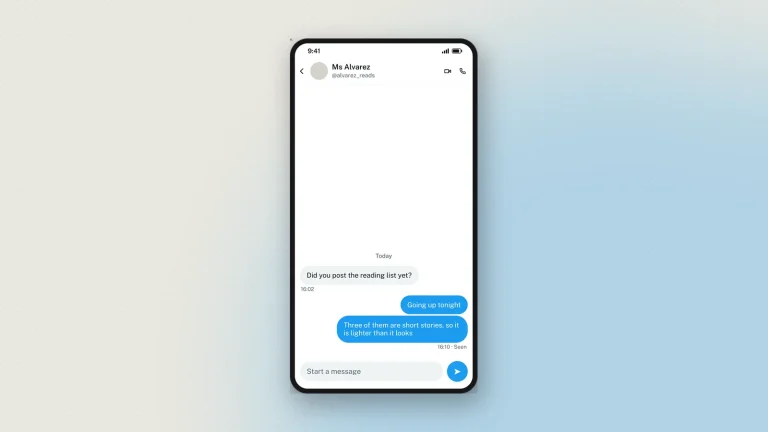
How to Generate a Fake Twitter Chat and DMs
Build an X (Twitter) direct message thread in your browser — both sides, verified ticks, seen receipts and all three themes — then download…
4 min read
Simulators
How to Make Tweets With a Custom Tweet Generator
Set the author, the text, the counts and the theme, add replies and a context note, then download your tweet mockup in HD. Free,…
4 min read
Simulators
How to Generate a Fake Twitter Chat and DMs
Build an X (Twitter) direct message thread in your browser — both sides, verified ticks, seen receipts and all three themes — then download…
4 min read
Simulators
How to Make Tweets With a Custom Tweet Generator
Set the author, the text, the counts and the theme, add replies and a context note, then download your tweet mockup in HD. Free,…
4 min read